
Playing with a Rainbow Dragon
Loading the math board and drawing, please wait…
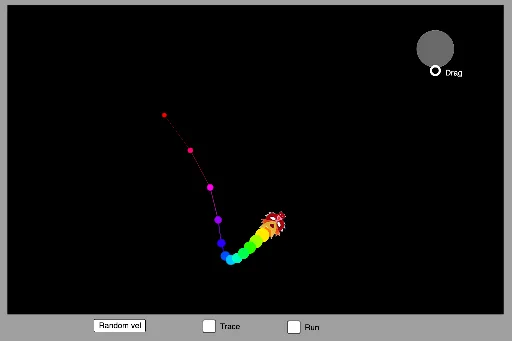
This GeoGebra example demonstrates the flight of a dragon, involving vector, locus, and transformation concepts. Using commands like Polygon, Segment, Vector, and Rotate, the flight path of the dragon is dynamically shown. Suitable for high school mathematics education, particularly in coordinate geometry and vector topics.
GeoGebra Commands & Parameters
Polygon(((-r1), (-r2)), (r1, (-r2)), (r1, r2), ((-r1), r2)) → Box, f, g, h, iSegment(O, T1) → s0Segment(T1, T2) → s1Circle(B, 3) → regionVector((x1, y1), (xloc, yloc)) → uRotate(Translate[pic1, v], angle, O) → pic1'Circle(O, 1.3) → cCircle(T1, 1.3 - 1 / n) → c1Circle(T2, 1.3 - 2 / n) → c2Circle(T3, 1.3 - 3 / n) → c3Circle(T4, 1.3 - 4 / n) → c4Circle(T5, 1.3 - 5 / n) → c5Circle(T6, 1.3 - 6 / n) → c6Circle(T7, 1.3 - 7 / n) → c7Circle(T8, 1.3 - 8 / n) → c8Circle(T9, 1.3 - 9 / n) → c9Circle(T10, 1.3 - 10 / n) → c10Circle(T11, 1.3 - 11 / n) → c11Circle(T12, 1.3 - 12 / n) → c12Circle(T13, 1.3 - 13 / n) → c13Segment(T6, T5) → s6Segment(T7, T6) → s7Segment(T8, T7) → s8Segment(T9, T8) → s9Segment(T10, T9) → s10Segment(T11, T10) → s11Segment(T12, T11) → s12Segment(T13, T12) → s13Segment(T2, T1) → s2Segment(T3, T2) → s3Segment(T4, T3) → s4Segment(T5, T4) → s5