
Planet System AR
Loading the math board and drawing, please wait…
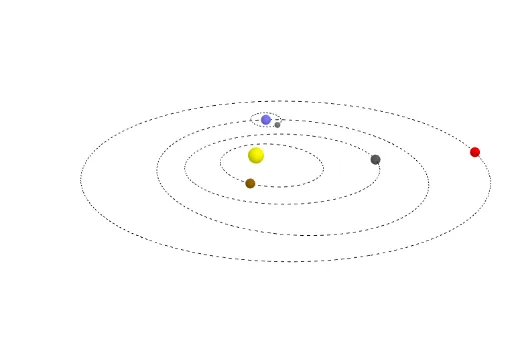
This example demonstrates the orbital trajectories of a planet system. Key mathematical concepts include ellipses, rotation, and orthogonal planes. Using GeoGebra commands such as Point, Ellipse, Rotate, and OrthogonalPlane, the movement of planets around a star can be constructed. Suitable for high school and above students studying astronomy and coordinate geometry.
GeoGebra Commands & Parameters
Point(yAxis) → P_2Point(yAxis) → P_3Ellipse(S, F_3, P_3) → ell_3Point(ell_3) → EOrthogonalLine(E, xOyPlane) → fRotate(f, 5°, yAxis) → f'OrthogonalPlane(E, f') → aCircle(E, 0.51, f') → dPoint(d) → MondPoint(yAxis) → P_1Point(yAxis) → P_4Ellipse(S, F_1, P_1, xOyPlane) → ell_1Ellipse(S, F_4, P_4) → ell_4Point(ell_1) → MeEllipse(S, F_2, P_2) → ell_2Point(ell_2) → VPoint(ell_4) → Ma
AI Drawing Prompt Reference
Draw a planetary system with three elliptical orbits around a star. Start by creating two points on the y-axis as foci, then draw ellipses. Rotate a line perpendicular to the xoy plane to create a vertical plane, and draw a circle on this plane to represent one planet. Finally, draw two more elliptical orbits around the star to represent the trajectories of other planets.
The prompt above was compiled from the original drawing commands and is for reference only.