
Planes with 4 or More Dodecahedral Vertices
Loading the math board and drawing, please wait…
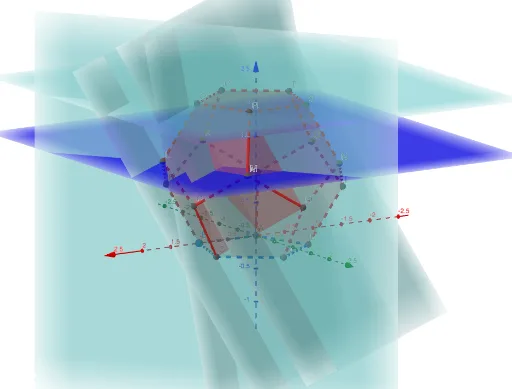
This example demonstrates planes with four or more vertices of a dodecahedron. It involves the geometric properties of a dodecahedron and the construction of planes. Using GeoGebra commands such as Intersect, Point, Polygon, Dodecahedron, and Plane, specific vertex-numbered dodecahedral planes can be constructed. Suitable for high school students or math enthusiasts to explore dodecahedrons and plane geometry.
GeoGebra Commands & Parameters
Intersect(xAxis, zAxis) → APoint(xAxis) → BPolygon(A, B, 5, xOyPlane) → poly1, f, g, h, i, j, C, D, EDodecahedron(poly1, true) → a, F, O, P, Q, R, S, T, faceAEIOJ, faceABFKJ, faceBCGLF, faceCDHMG, G, faceDEINH, faceINSTO, faceJKPTO, faceFKPQL, faceGLQRM, faceHMRSN, facePQRST, edgeAJ, edgeEI, edgeIO, H, edgeJO, edgeJK, edgeFK, edgeBF, edgeFL, edgeGL, edgeCG, edgeGM, edgeHM, edgeDH, I, edgeHN, edgeIN, edgeNS, edgeST, edgeOT, edgePT, edgeKP, edgePQ, edgeLQ, edgeQR, J, edgeMR, edgeRS, K, L, M, NPlane(P, Q, C) → bPlane(P, Q, D) → cPlane(P, T, R) → ePlane(L, M, N) → lPlane(L, C, A) → mPlane(H, C, R) → d
AI Drawing Prompt Reference
Draw a plane with four or more vertices of a dodecahedron. Start by creating the intersection point A of the x-axis and z-axis, then create point B on the x-axis. Use A and B as two vertices, along with the xOy plane, to construct a pentagon polygon poly1. Based on poly1, construct a dodecahedron with all vertices and faces. Finally, create several planes through specific vertices, such as plane b through P, Q, and C; plane c through P, Q, and D; plane e through P, T, and R; and plane l through L, M, and N.
The prompt above was compiled from the original drawing commands and is for reference only.