
Place a Radian Angle on the Unit Circle
Loading the math board and drawing, please wait…
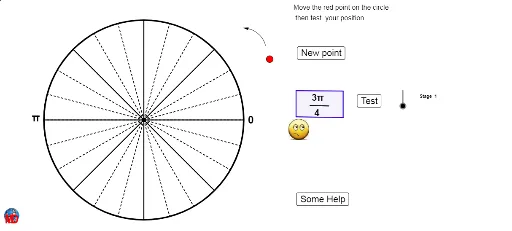
This example demonstrates how to place and visualize a radian angle on the unit circle. It involves core math concepts like angles, the unit circle, trigonometry, and coordinate geometry. Construction highlights include commands like Random, Corner, Element, If, Circle, Intersect, Sequence, CircleArc, Point, Vector, Polygon, Take, Segment from GeoGebra. Suitable for high school students learning about trigonometric functions and the unit circle, ideal for classroom instruction or self-study.
GeoGebra Commands & Parameters
Random(1, voirindexMax) → choixRandom(1, IndexMax) → choixindexCorner(4) → C4Element(Denominateur, choix) → ChoixDenElement(Numerateur, choix) → NumIf(Num ≟ 0, "0", If[Num ≟ 1, "", If[Num ≟ -1, "", Num + ""]]) → TextnumIf(ChoixDen ≟ 1, Textnum, Textnum + "π/" + ChoixDen + " ") → AnglepiElement(Rayon, choixindex) → rCircle((0, 0), 5) → cIntersect(c, xAxis) → A, BSequence(Rotate[B, d°, (0, 0)], d, 15, 360, 15) → liste1Sequence(Segment[(0, 0), Element[liste1, i]], i, 0, Length[liste1]) → liste2Sequence(Rotate[B, d°, (0, 0)], d, 45, 360, 45) → liste3Sequence(Segment[(0, 0), Element[liste3, i]], i, 0, Length[liste3]) → liste4CircleArc(C, D, E) → dPoint(d) → FVector(F, E) → uPolygon(H, I, J, K) → poly1, h, i, j, kTake(liste1, 1, 6) → liste5Sequence(Text["" + " π / " + (12 - k), Element[liste5, k] + (0.2, 0.1)], k, 1, 6) → liste6If(ChoixDen ≟ 1, Textnum, Textnum + "π") → texte11If(ChoixDen ≟ 1, Textnum, ChoixDen + " ") → texte12Segment(L, M) → e