
Interactive Exploration of the Unit Circle
Loading the math board and drawing, please wait…
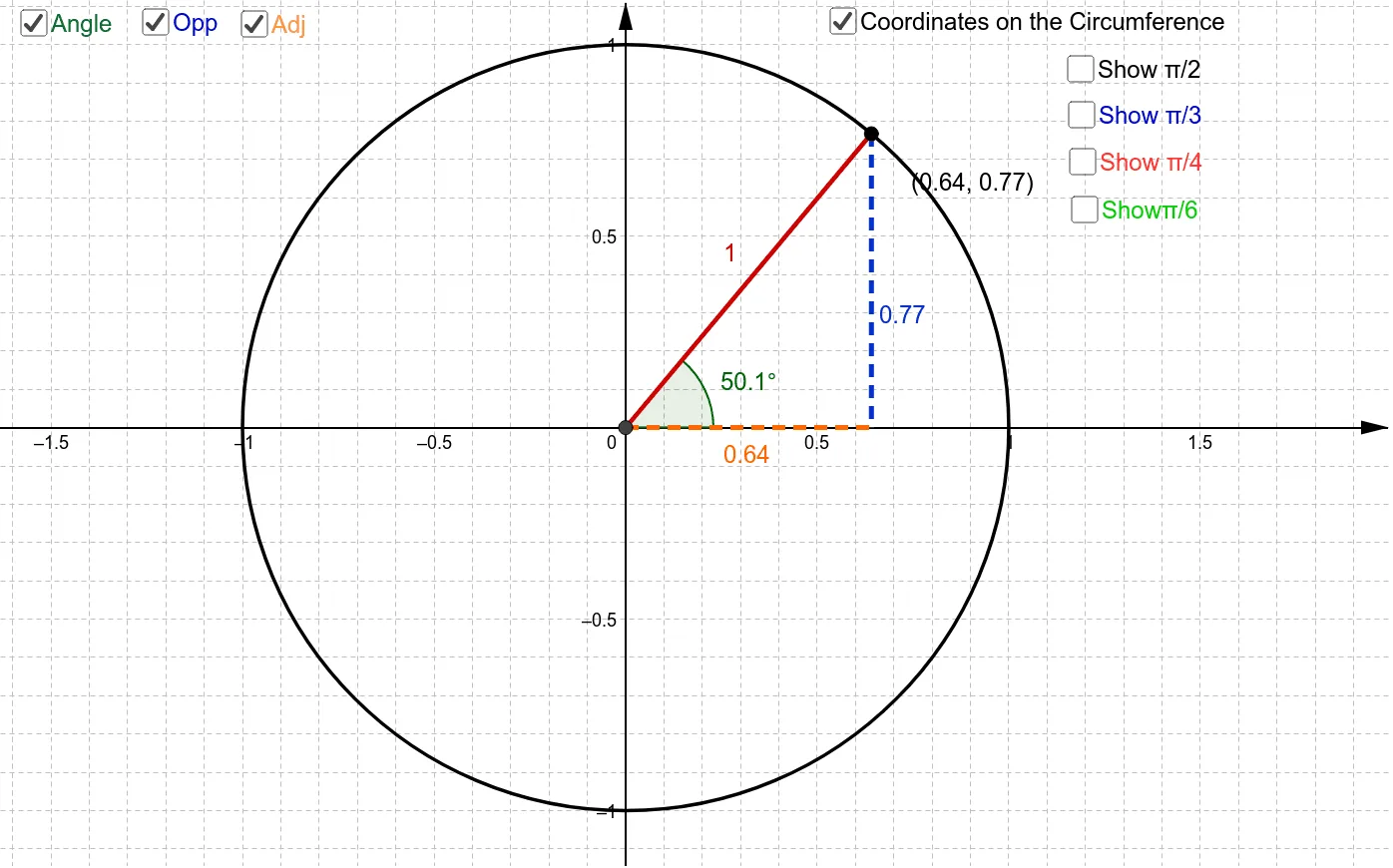
This GeoGebra example demonstrates an interactive way to explore angles on the unit circle and how they determine the corresponding coordinates of points on the circle. It highlights the geometric meaning of sine and cosine: the x- and y-coordinates of a point on the unit circle encode cos(θ) and sin(θ), revealing consistent patterns as the angle changes. The construction is built using core objects and commands: Intersect to create angle-related intersection points, Circle to generate the unit-circle geometry, Mirror to illustrate symmetry relationships, and Point/Segment/Line to define and connect key geometric entities. Angle is used to display and manipulate angle measures, while OrthogonalLine supports perpendicular/projection constructions that help connect the visual geometry with coordinate behavior. The resulting interactive setup is well suited for secondary-to-intro-college learners and for classroom demonstrations focused on trigonometry concepts, geometric construction, and coordinate geometry intuition.
GeoGebra Commands & Parameters
Intersect(xAxis, yAxis) → ACircle(A, 1) → cMirror(B, yAxis) → B'Mirror(B, xAxis) → B'_1Mirror(B', xAxis) → B''Mirror(C, yAxis) → C'Mirror(C', xAxis) → C''Mirror(C'', yAxis) → C'''Mirror(D, yAxis) → D'Mirror(D', xAxis) → D''Mirror(D'', yAxis) → D'''Point(c) → ISegment(I, A) → gAngle(E, A, I) → αOrthogonalLine(I, xAxis) → hIntersect(h, xAxis) → QLine(A, Q) → iSegment(I, Q) → jSegment(A, Q) → k
AI Drawing Prompt Reference
Draw a unit circle with a point on it and its radius. Create a ray from the origin that intersects the circle at this point, forming an angle. Display the angle measure and draw a perpendicular line from the point to the x-axis. Connect the origin to the foot of the perpendicular and show the lengths of the two segments. Use mirror operations to illustrate symmetry and connect key points with auxiliary segments, revealing the geometric meaning of trigonometric functions.
The prompt above was compiled from the original drawing commands and is for reference only.