
pH Calculator
Loading the math board and drawing, please wait…
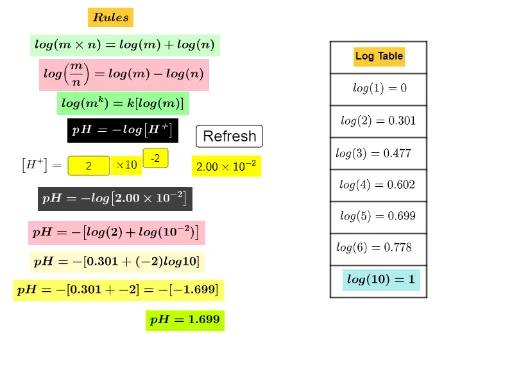
This example demonstrates how to construct a pH calculator in GeoGebra, calculating the pH value from hydrogen ion concentration. It involves logarithmic functions, linear equations, real numbers, matrices, and differential calculus. The construction uses commands like Segment, Point, Textfield, ScientificText, and objects such as n22, A, B, C, D, E, F, G, H, I, J, K, L, M, N, O, P, f, g_1, h, i, j, k, Q, R, l, m, n, p, q, text1, n1, a, b, c, d, e, o, r, s. Suitable for high school students and above to learn acid-base calculations and for chemistry teaching demonstrations.
GeoGebra Commands & Parameters
Segment(A, B) → fSegment(E, F) → g_1Segment(G, H) → hSegment(I, J) → iSegment(K, L) → jSegment(M, N) → kPoint(xAxis) → QPoint(xAxis) → RSegment(Q, R) → lSegment(O, P) → mSegment(D, C) → nSegment(C, B) → pSegment(A, D) → qTextfield(n22) → InputBox1Textfield(n23) → InputBox2ScientificText(n24, 3) → text17