
Perpendicular Bisector Definition: Interactive Exploration
Loading the math board and drawing, please wait…
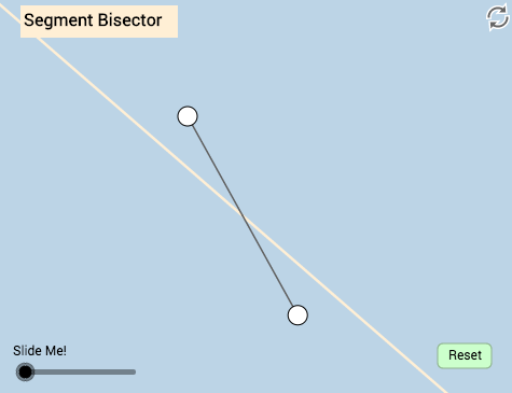
This GeoGebra example dynamically illustrates the definition of a perpendicular bisector as the locus of points equidistant from the endpoints of a segment. It demonstrates the core concepts of midpoint, perpendicularity, rotation symmetry, and isosceles triangles. The construction uses commands such as Segment to create segment AB, Midpoint to find its center, Rotate to generate perpendicular directions, Angle to mark right angles, and Line to draw the bisector. Key objects include points A, B, C, segments f, g, h, j, rotated points A', C', j', b, B', angle α, plus text and button elements for interactive prompts. This resource is ideal for middle school or high school geometry classes, helping students grasp the formal definition of a perpendicular bisector and its connection to symmetry and triangle properties through hands-on manipulation.
GeoGebra Commands & Parameters
Segment(A, B) → fMidpoint(f) → CSegment(A, C) → gSegment(C, B) → hSegment(A, C) → jRotate(A, If[0.5 < a ≤ 1.5, ((-(a - 0.5)) * π), (-π)], C) → A'Rotate(C, If[0.5 < a ≤ 1.5, ((-(a - 0.5)) * π), (-π)], C) → C'Segment(A', C') → j'Rotate(B, (b * π / 180), C) → B'Angle(B, C, B') → αLine(C, B') → i
AI Drawing Prompt Reference
Draw a line segment, find its midpoint, then draw two equal segments from the midpoint to each endpoint of the original segment. Rotate one of these segments to form a right angle with the original line, connect the rotated endpoint back to the midpoint to create the perpendicular bisector, and display the rotation angle and related triangles to dynamically illustrate the definition and properties of the perpendicular bisector.
The prompt above was compiled from the original drawing commands and is for reference only.