
Special Right Triangles: Construction and Iterative Geometry
Loading the math board and drawing, please wait…
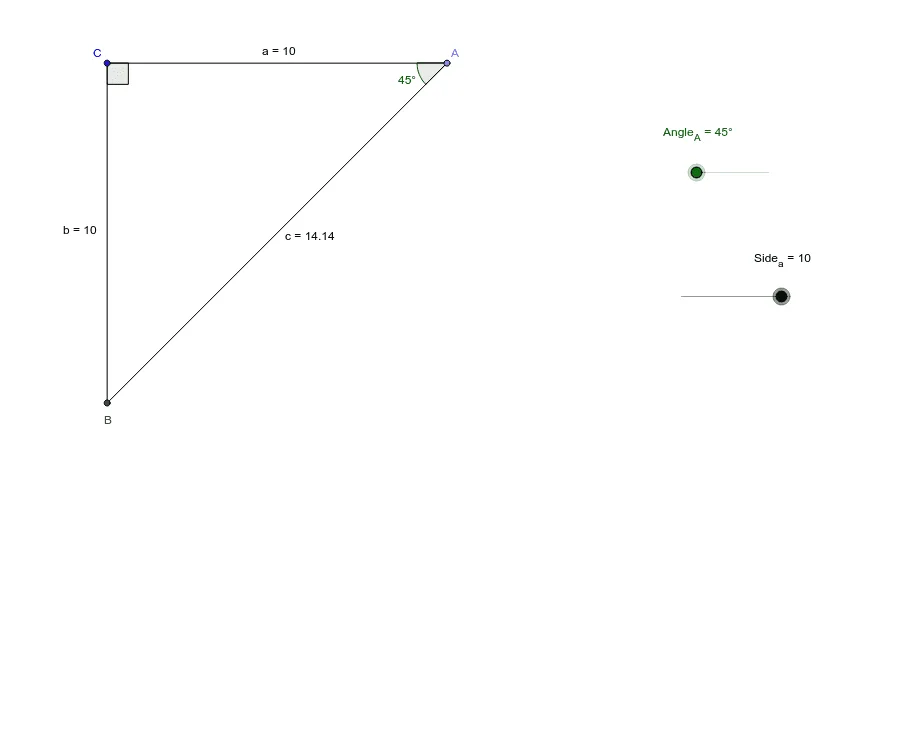
This GeoGebra example demonstrates how special right triangles (e.g., 45°-45°-90° and 30°-60°-90°) generate structured patterns when repeatedly constructed using rotations and orthogonal projections. It highlights the angle constraints inherent in right triangles and how geometric transformations preserve key relationships, producing an iterative or fractal-like family of points and segments. The core concepts include special-triangle angle properties, rigid transformations (rotation), orthogonal line construction, and intersection-based point generation. Construction is driven by the listed GeoGebra commands: Point to define vertices (A, B, C and many derived points), Segment and Ray to form triangle sides and directed extensions, Rotate to create transformed copies (producing multiple iterates such as A1, A2, B1, …), OrthogonalLine to build perpendicular constraints, and Intersect to compute the next dependent points used in the pattern. Suitable for advanced middle school through early undergraduate geometry, and for classroom exploration of transformation geometry and verification (optionally complemented by linear regression for quantitative checks).
GeoGebra Commands & Parameters
Point(Circle[C, abs(Side_a)]) → ASegment(C, A) → aRotate(C, 45*°, A) → D'Rotate(C, Angle_A, A) → D'_1Angle(C, A, D'_1) → γOrthogonalLine(C, a) → fRay(A, D'_1) → gIntersect(f, g) → BSegment(C, B) → bSegment(B, A) → cAngle(A, B, C) → δAngle(B, C, A) → α
AI Drawing Prompt Reference
Start with a fixed point as the center of a circle, choose a point on the circle as one vertex of a triangle, and draw a segment from the center to that vertex. Then rotate the center around that vertex by 45 degrees and by a specific angle, creating two rays; one ray intersects the line through the center perpendicular to the initial segment, giving the second vertex. Connect the three vertices to form a right triangle and label its three interior angles. Using this triangle as a base, repeatedly apply rotations and orthogonal projections to generate new points and segments, producing a nested or iterative family of triangles that highlights the angle constraints and transformation patterns of special right triangles.
The prompt above was compiled from the original drawing commands and is for reference only.