
Perimeter and Area of a Square
Loading the math board and drawing, please wait…
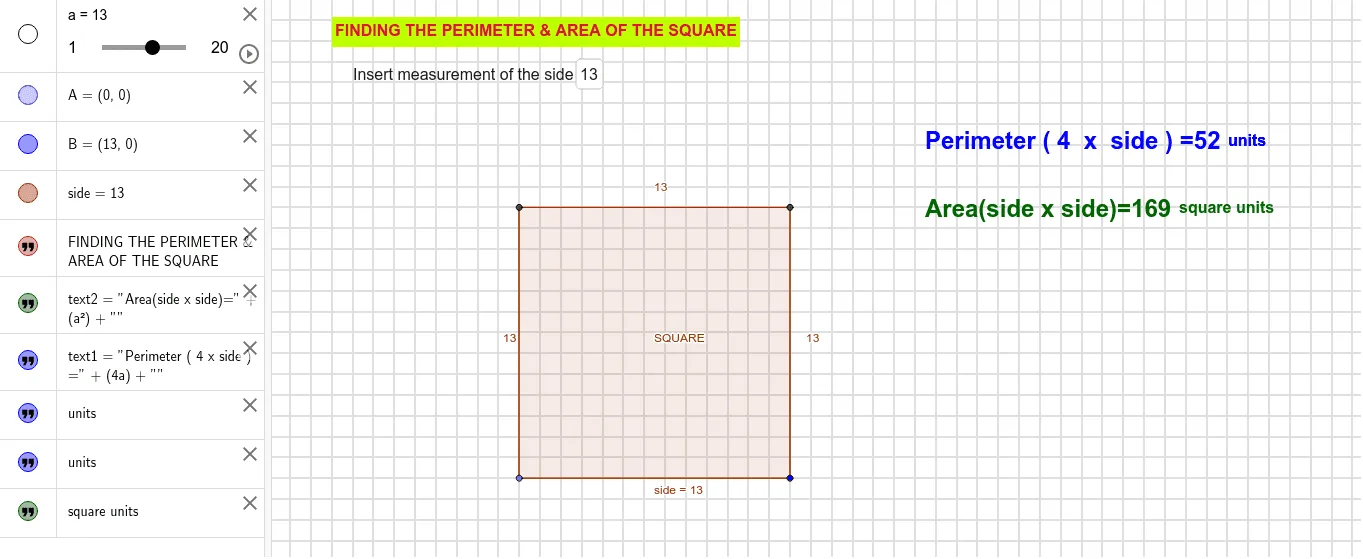
This example demonstrates the calculation of the perimeter and area of a square. Key mathematical concepts include the properties of a square, area formulas, and perimeter formulas. Using GeoGebra commands such as Point, Polygon, and Textfield, the side length of the square can be dynamically changed to observe the changes in its perimeter and area. Suitable for middle and high school students learning geometry and algebra.
GeoGebra Commands & Parameters
Point(xAxis) → APolygon(A, B, 4) → poly1, side, side_1, h, i, C, DTextfield(a) → InputBox1
AI Drawing Prompt Reference
Draw a square on a coordinate plane with one vertex on the horizontal axis. Construct the square by connecting four vertices in order, showing all sides and vertices clearly. Display the side length, perimeter, and area as dynamic text values. Include an interactive input box that allows changing the side length, causing the square's size and the calculated perimeter and area to update accordingly. The figure should visually demonstrate the relationship between side length, perimeter, and area for educational purposes.
The prompt above was compiled from the original drawing commands and is for reference only.