
Parametric 3D Plane
Loading the math board and drawing, please wait…
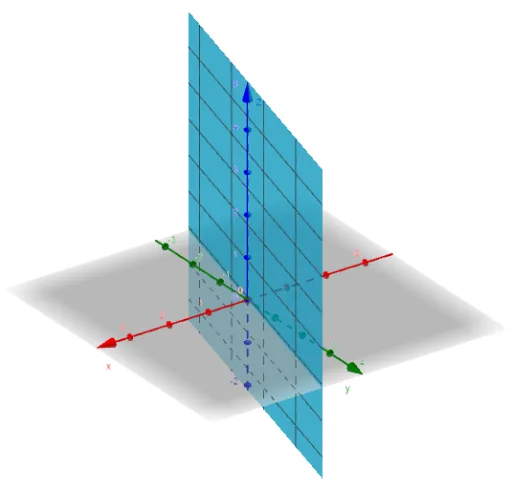
This example demonstrates how to draw a 3D plane using parametric equations. The core mathematical concepts involved include parametric equations, planes, and solid geometry. The construction highlights the use of the GeoGebra 'Surface' command and object to create a 3D surface. Suitable for high school and above students to learn and understand the application of parametric equations in 3D space.
GeoGebra Commands & Parameters
Surface(t / 2, (2 * t), s, t, -5, 5, s, -5, 6) → b
AI Drawing Prompt Reference
Draw a 3D plane using parametric equations where the x-coordinate is half of t, the y-coordinate is 2t, and the z-coordinate is s, with t ranging from -5 to 5 and s ranging from -5 to 6, to demonstrate how parametric equations define surfaces in three-dimensional space.
The prompt above was compiled from the original drawing commands and is for reference only.