
Parallelogram Measurements by matthew.hardie
Loading the math board and drawing, please wait…
In collections
Quadrilateral Investigation
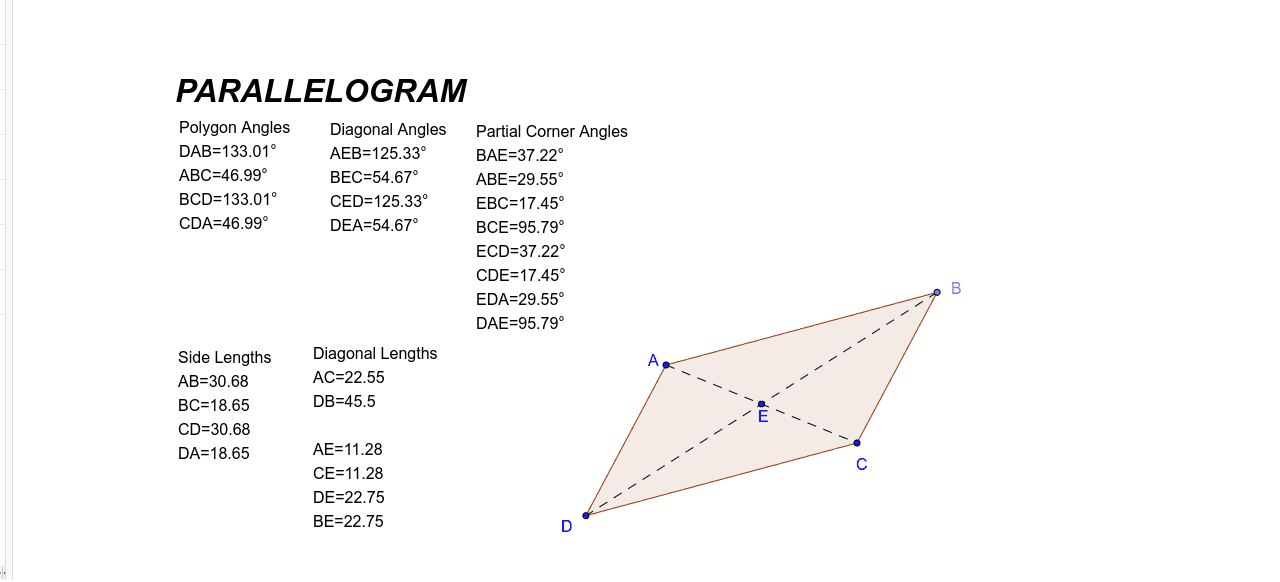
This example demonstrates the relationships between the sides, angles, and diagonals of a parallelogram. Key math concepts include parallelogram properties, vectors, angle measurement, and distance calculation. It is constructed using commands like Line, Point, Intersect, Polygon, Angle, Distance, and Segment, making it suitable for middle school and above students learning geometric properties and dynamic geometry software applications.
GeoGebra Commands & Parameters
Line(l, A) → aLine(C, a) → bPoint(b) → BLine(A, B) → cLine(C, c) → dIntersect(a, d) → DPolygon(D, A, B, C) → poly1, e, b_1, d_1, c_1Angle(D, A, B) → αAngle(A, B, C) → βAngle(B, C, D) → γAngle(C, D, A) → δDistance(A, B) → distanceABDistance(B, C) → distanceBCDistance(C, D) → distanceCDDistance(D, A) → distanceDASegment(A, C) → fSegment(B, D) → gDistance(A, C) → distanceACDistance(D, B) → distanceDBIntersect(f, g) → EDistance(A, E) → distanceAEDistance(E, C) → distanceECDistance(D, E) → distanceDEDistance(E, B) → distanceEBAngle(A, E, D) → εAngle(B, E, A) → ζAngle(C, E, B) → ηAngle(D, E, C) → θAngle(E, A, B) → ιAngle(A, B, E) → κAngle(E, B, C) → λAngle(E, C, D) → μAngle(C, D, E) → νAngle(E, D, A) → ξAngle(B, C, E) → οAngle(D, A, E) → ρ
AI Drawing Prompt Reference
Draw a parallelogram ABCD, connect its diagonals AC and BD, and measure and mark the lengths of all sides and diagonals, as well as the degree of each angle. Start by drawing line segment AB, then draw a line through point C parallel to AB, and take point B on this line. Connect AB and BC, then draw a line through point C parallel to AD, and mark the intersection point D. Connect AD and CD, then draw diagonals AC and BD, and measure and mark the lengths of all sides and diagonals, as well as the degree of each angle.
The prompt above was compiled from the original drawing commands and is for reference only.