
Parallelogram Construction by Deborah Brooks
Loading the math board and drawing, please wait…
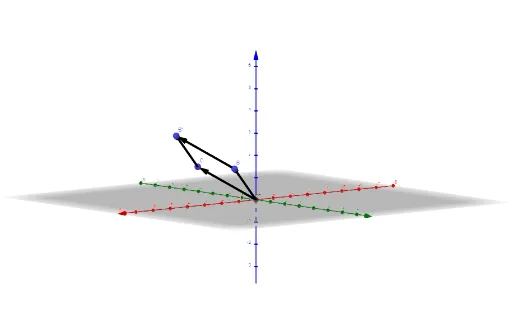
This example demonstrates the construction of a parallelogram. Key mathematical concepts include vectors and geometric transformations. Using GeoGebra commands such as Intersect, Vector, and Translate, a parallelogram can be constructed. Suitable for middle school and above students learning geometric construction.
GeoGebra Commands & Parameters
Intersect(zAxis, yAxis) → AVector(A, B) → uVector(A, C) → vTranslate(C, u) → C'Vector(C, C') → wTranslate(B, v) → B'Vector(B, B') → a
AI Drawing Prompt Reference
Draw a parallelogram by starting at the intersection of two axes in a coordinate system, then draw two non-parallel vectors from this point to represent the sides of the parallelogram. Next, translate one side to the endpoint of the other side, and draw two more vectors to complete the parallelogram, ensuring opposite sides are parallel and equal in length.
The prompt above was compiled from the original drawing commands and is for reference only.