
Parallelogram Area: Interactive Discovery
Loading the math board and drawing, please wait…
In collections
Congruence (CO) Cluster
Congruence (Vol 2)
CCSS High School: Geometry (Congruence) Volume 2
CCSS High School: Geometry (Congruence) Volume 2
CCSS High School: Geometry (Congruence) Volume 2
Geometry (Congruence) Volume 2
CCSS High School: Geometry (Congruence) Volume 2
CCSS High School: Geometry (Congruence) Volume 2
CCSS High School: Geometry (Congruence) Volume 2
CCSS High School: Geometry (Congruence) Volume 2
CCSS High School: Geometry (Congruence) Volume 2
CCSS High School: Geometry (Congruence) Volume 2
Gail LeBlancCCSS High School: Geometry (Congruence) Volume 2
CCSS High School: Geometry (Congruence) Volume 2
CCSS High School: Geometry (Congruence) Volume 2
Area, Surface Area, Volume, Cross Section, 3D
Perimeter & Area
Perimeter & Area
Surface nets 6th Grade
Area
Area and Circumference Explained
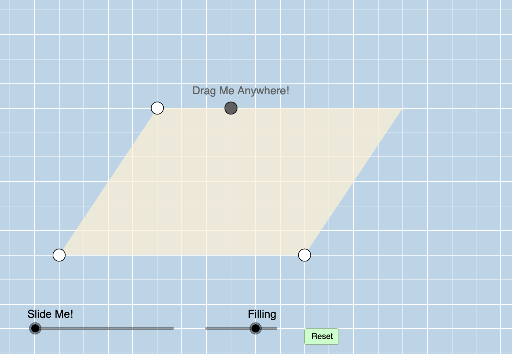
This example interactively demonstrates how to find the area of a parallelogram. It covers the base‑times‑height formula, its relation to rectangles, and the vector cross‑product interpretation. The construction uses GeoGebra commands such as Line, Segment, OrthogonalLine, Polygon, and Vector to build the shape and compute its area dynamically. It is intended for high‑school geometry lessons and interactive math workshops.
GeoGebra Commands & Parameters
Line(A, B) → f_1Line(A, B) → bSlope(b) → mPointIn(d) → CSegment(A, B) → aLine(C, a) → fOrthogonalLine(B, f) → nIntersect(f, n) → HSegment(C, H) → lPoint(l) → IOrthogonalLine(I, l) → qIntersect(q, a) → JCircle(B, Distance[A, J]) → g_1Intersect(g_1, f_1, 2) → MSegment(A, C) → ePoint(f) → DRay(C, D) → gLine(B, e) → hIntersect(h, g) → ESegment(C, E) → iSegment(B, E) → jPoint(i) → FOrthogonalLine(A, i) → kAngle(B, A, C) → αRay(C, E) → pIntersect(f, k) → GSegment(G, E) → rPoint(r) → KOrthogonalLine(K, r) → sIntersect(s, a) → LPolygon(A, J, I, C) → poly1, a_1, j_1, i_1, c_1Polygon(J, B, E, I) → poly2, j_2, b_1, e_1, i_2Polygon(A, L, K, C) → poly3, a_2, l_1, k_1, c_2Polygon(L, B, E, K) → poly4, l_2, b_2, e_2, k_2Dilate(I, If[0 < o ≤ 1, 1 - o, 0], J) → I'Segment(I, I') → tAngle(J, I, E) → βDilate(J, If[2 < o ≤ 3, 3 - o, 0], M) → J'Vector(J, J') → uAngle(B, J, I) → γOrthogonalLine(E, b) → d_1Translate(A, u) → A'Translate(J, u) → J'_1Translate(I, u) → I'_1Translate(C, u) → C'Polygon(A', J'_1, I'_1, C') → poly1', a', j'_1, i'_1, c'Angle(I'_1, J', J) → δPolygon(A, B, E, C) → poly5, a_3, b_3, e_3, c_3Circle(E, Distance[C, K]) → h_1Intersect(h_1, f, 2) → NPolygon(A, B, E, C) → poly6, a_4, b_4, e_4, c_4Dilate(K, If[0 < o ≤ 1, 1 - o, 0], L) → K'Segment(K, K') → m_1Angle(L, K, E) → εAngle(B, L, K) → ζDilate(K, If[2 < o ≤ 3, 3 - o, 0], N) → K'_1Vector(K, K'_1) → vTranslate(A, v) → A'_1Translate(L, v) → L'Translate(K, v) → K'_2Translate(C, v) → C'_1Polygon(A'_1, L', K'_2, C'_1) → poly3', a'_1, l', k'_2, c'_1Angle(K'_1, L', A) → ηSegment(J'_1, I'_1) → n_1Segment(L', K'_2) → p_1
AI Drawing Prompt Reference
Draw a parallelogram and demonstrate its area calculation method. First, create two parallel lines f1 and b, determine the base a and height h of the parallelogram, then construct a line f through point C parallel to a, and find the intersection with the perpendicular line n to b to get the vertex H. Next, construct the four sides of the parallelogram, and finally, use points I and J to construct the area decomposition diagram of the parallelogram, showing the area formula and vector cross product interpretation.
The prompt above was compiled from the original drawing commands and is for reference only.