
Parallel Lines in the Coordinate Plane
Loading the math board and drawing, please wait…
In collections
Expressing Geometric Properties with Equations (GPE) Cluster
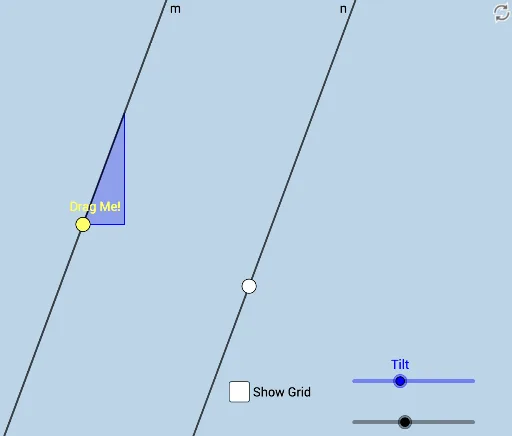
This example demonstrates how to draw and investigate parallel lines in the coordinate plane, covering core math concepts like coordinate geometry, line equations, slope, and vectors. Key GeoGebra commands used include Rotate, Angle, Line, Point, Circle, OrthogonalLine, Intersect, Slope, Segment, and Vector, making it suitable for high school students and teachers for learning and instructional purposes.
GeoGebra Commands & Parameters
Rotate(B, (a * π / 180), A) → B'Angle(B, A, B') → αLine(A, B') → nPoint(n) → CCircle(C, b) → cOrthogonalLine(C, n) → hIntersect(c, h) → D, ELine(E, n) → mIntersect(c, n) → F, GSlope(Line[C, G]) → dSegment(C, E) → jPoint(j) → HLine(H, n) → kCircle(H, 3) → eIntersect(e, k, 2) → IIntersect(e, k) → J, KSlope(Line[H, K]) → lVector(E, H) → u
AI Drawing Prompt Reference
In the coordinate plane, draw a line and mark a point on it as the center of rotation. Rotate another fixed point around this center by an angle controlled by a slider, creating a second line. Measure the angle between these two lines. Pick a point on the second line, draw a circle centered there with a radius controlled by a slider, and construct a diameter perpendicular to the second line. This diameter meets the circle at two points; through one of them, draw a line parallel to the second line, intersecting the circle at two points. Compute the slope of a segment connecting one of these intersection points to the center of the circle. On the diameter, choose a point, draw a line through it parallel to the second line, and draw a circle centered at that point with radius 3. This circle meets the parallel line at two points; compute the slope of the segment from the center to one of these points. Finally, draw a vector from the point on the diameter to the point on the second line.
The prompt above was compiled from the original drawing commands and is for reference only.