
Parabola Rotation to Build a Flower Pattern
Loading the math board and drawing, please wait…
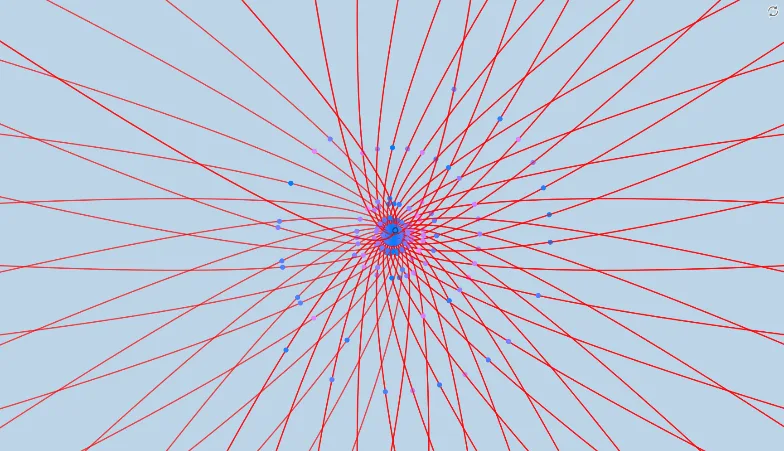
This example demonstrates how to create a symmetric “flower” shape by rotating parabola graphs and using their intersections to place key points. The main mathematical ideas are parabolas as function graphs, geometric transformation (rotation), and intersection-based point construction that defines the petal boundaries. Construction uses the GeoGebra commands from the summary: Intersect, Rotate, and Point. Starting with a given function f and a rotation parameter α, the diagram generates a rotated curve f′ via Rotate, then computes intersection points between f and f′ using Intersect, and finally marks the resulting points with Point (objects such as A and B) to complete the structure. Suitable for secondary school geometry/function units as well as introductory college courses on graphing, transformations, and dynamic visualization with parameters.
GeoGebra Commands & Parameters
Intersect(f, xAxis, 1) → ARotate(f, α, A) → f'Point(f') → B
AI Drawing Prompt Reference
In the same coordinate plane, draw a parabola function curve f as the base. Choose a rotation angle parameter α and rotate the parabola about a selected intersection point to obtain the rotated curve f′. Compute the intersection points between the original curve f and the rotated curve f′, and mark these intersection points as the key points that define the petal boundaries. Display both curves and the marked intersection points so the symmetric flower-like pattern emerges from the rotation and intersections.
The prompt above was compiled from the original drawing commands and is for reference only.