
Parabola Flower: Building a Symmetric Pattern with Rotation and Intersections
Loading the math board and drawing, please wait…
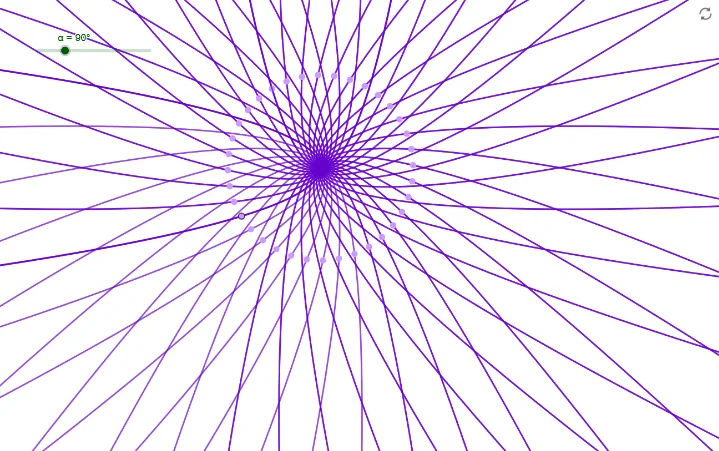
This example demonstrates how to create a “flower” shaped figure by combining a base parabola with geometric transformations. The key ideas are: using a parabola as the generating curve, computing intersection points to anchor new segments, and applying rotation to replicate and assemble multiple curved “petals” into a symmetric pattern. Construction uses the GeoGebra workflow implied by the model: define the base curve f, choose a rotation parameter/angle α, select a reference point A, then rotate to obtain a transformed curve f′. Intersect is used to find the relevant contact points between the original and rotated objects, producing points like B that guide the final sketch. The result is a clear illustration of curve sketching via function-curve construction, geometric transformations, and intersection-based assembly—ideal for secondary-level geometry/function visualization and introductory explorations of transformation-driven design.
GeoGebra Commands & Parameters
Intersect(f, yAxis, 1) → ARotate(f, α, A) → f'Point(f') → B
AI Drawing Prompt Reference
Draw a symmetric petal-shaped figure. Start with a parabola, then rotate it to create new petals. Use intersection points between the original and rotated parabolas to determine petal positions. Ensure symmetry and continuity of the petals.
The prompt above was compiled from the original drawing commands and is for reference only.