
Parabola Flower via Rotation and Intersections
Loading the math board and drawing, please wait…
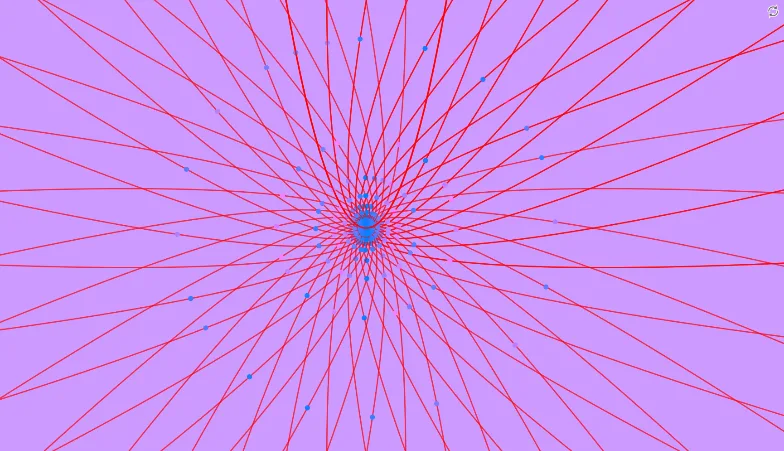
This example demonstrates how to create a symmetric “flower” pattern by using a parabola and its rotated copies, where intersections and key points shape the petal-like boundaries. The main mathematics includes parabolas as function curves, rotation transformations to generate repeated structure, and intersection of objects to determine the geometric features precisely (e.g., where rotated curves meet). From the construction summary, it is built using GeoGebra commands: Intersect to compute crucial intersection points, Rotate to replicate the parabola into multiple petals using an angle α, and Point to define and manage the construction’s reference/anchor points. Key objects include a function f, a rotation angle α, a point A, the rotated function f', and another point B. Suitable for high school to early university instruction on geometric construction, transformation geometry, and function-graph based modeling.
GeoGebra Commands & Parameters
Intersect(f, xAxis, 1) → ARotate(f, α, A) → f'Point(f') → B
AI Drawing Prompt Reference
Draw a symmetric flower pattern formed by rotating a parabola. Start with an upward-opening parabola intersecting the horizontal axis at a fixed point. Use this point as the rotation center to repeatedly rotate the parabola by a constant angle, creating a radial arrangement of petal-like curves. On each rotated parabola, place a point near the petal boundary or tip to emphasize the outline. The overall figure is centrally symmetric, with petals defined by curve intersections and rotations, illustrating function transformation and geometric construction.
The prompt above was compiled from the original drawing commands and is for reference only.