
Pairs of Numbers with a Given Difference
Loading the math board and drawing, please wait…
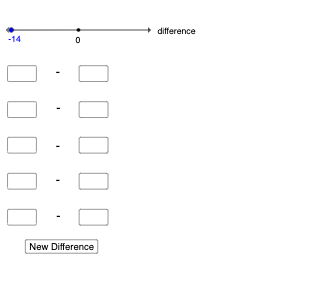
This example demonstrates how to plot pairs of numbers based on a given difference. Core math concepts include number pairs, difference, addition, and subtraction. It uses commands like Random for generating random numbers, Textfield and Defined for variable definitions, Segment for drawing lines, and Intersect for finding intersections. Suitable for middle school and above students learning geometric constructions related to number pairs and differences.
GeoGebra Commands & Parameters
Random(-15, 15) → numTextfield(a1) → InputBox1Textfield(a2) → InputBox2Textfield(b1) → InputBox3Textfield(b2) → InputBox4Textfield(c1) → InputBox5Textfield(c2) → InputBox6Textfield(d1) → InputBox7Textfield(d2) → InputBox8Textfield(e1) → InputBox9Textfield(e2) → InputBox10Defined(a1 + a2) → notempty1Defined(b1 + b2) → notempty2Defined(c1 + c2) → notempty3Defined(d1 + d2) → notempty4Defined(e1 + e2) → notempty5Segment(A, B) → fIntersect(f, yAxis) → C
AI Drawing Prompt Reference
Draw a graph showing pairs of numbers with a fixed difference. Include input boxes for entering numbers, define and calculate their sums to create a line segment, and find the intersection of this segment with the y-axis. Ensure the graph clearly shows the relationship between the number pairs and the intersection point.
The prompt above was compiled from the original drawing commands and is for reference only.