
P6 Symmetry: Create Symmetrical Figures with 2 Axes
Loading the math board and drawing, please wait…
In collections
P6 6S1 Symmetry (English Version)
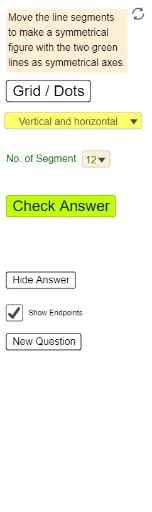
This example demonstrates how to construct symmetrical figures using two axes of symmetry. Core mathematical concepts include symmetry, reflection transformation, and geometric construction. GeoGebra commands and objects like IndexOf, If, Segment, Mirror, Sequence, and objects such as SymA4, SymA2, Blue10a are used in the construction, making it suitable for middle school and above students to explore geometric transformations.
GeoGebra Commands & Parameters
IndexOf(SelectedElement[ListSymA], ListSymA) → NumSymAIf(NumSymA ≟ 1, SymA2, SymA4) → SymBIf(NumSymA ≟ 1, SymA1, SymA3) → SymASegment(Blue10a, Blue10b) → Blue10Segment(Blue8a, Blue8b) → Blue8Segment(Blue6a, Blue6b) → Blue6Segment(Blue4a, Blue4b) → Blue4Segment(Blue2a, Blue2b) → Blue2Mirror(Blue10b, SymA) → Blue10b1Mirror(Blue10a, SymA) → Blue10a1Segment(Blue10a1, Blue10b1) → Ref1Blue10Mirror(Blue8a, SymA) → Blue8a1Mirror(Blue8b, SymA) → Blue8b1Segment(Blue8a1, Blue8b1) → Ref1Blue08Mirror(Blue6a, SymA) → Blue6a1Mirror(Blue6b, SymA) → Blue6b1Segment(Blue6a1, Blue6b1) → Ref1Blue06Mirror(Blue4a, SymA) → Blue4a1Mirror(Blue4b, SymA) → Blue4b1Segment(Blue4a1, Blue4b1) → Ref1Blue04Mirror(Blue2a, SymA) → Blue2a1Mirror(Blue2b, SymA) → Blue2b1Segment(Blue2a1, Blue2b1) → Ref1Blue02Mirror(Blue1b, SymA) → Blue1b1Mirror(Blue10b, SymB) → Blue10b2Mirror(Blue10a, SymB) → Blue10a2Segment(Blue10a2, Blue10b2) → Ref2Blue10Mirror(Blue8a, SymB) → Blue8a2Mirror(Blue8b, SymB) → Blue8b2Segment(Blue8a2, Blue8b2) → Ref2Blue08Mirror(Blue6a, SymB) → Blue6a2Mirror(Blue6b, SymB) → Blue6b2Segment(Blue6a2, Blue6b2) → Ref2Blue06Mirror(Blue4a, SymB) → Blue4a2Mirror(Blue4b, SymB) → Blue4b2Segment(Blue4a2, Blue4b2) → Ref2Blue04Mirror(Blue2a, SymB) → Blue2a2Mirror(Blue2b, SymB) → Blue2b2Segment(Blue2a2, Blue2b2) → Ref2Blue02Mirror(Blue1b, SymB) → Blue1b2Segment(Blue1a, Blue1b) → Blue1Mirror(Blue1a, SymA) → Blue1a1Segment(Blue1a1, Blue1b1) → Ref1Blue01Mirror(Blue1a, SymB) → Blue1a2Segment(Blue1a2, Blue1b2) → Ref2Blue01Mirror(Blue3b, SymA) → Blue3b1Mirror(Blue3b, SymB) → Blue3b2Mirror(Blue3a, SymA) → Blue3a1Segment(Blue3a1, Blue3b1) → Ref1Blue03Mirror(Blue3a, SymB) → Blue3a2Segment(Blue3a2, Blue3b2) → Ref2Blue03Segment(Blue3a, Blue3b) → Blue3Mirror(Blue5b, SymA) → Blue5b1Mirror(Blue5b, SymB) → Blue5b2Mirror(Blue5a, SymA) → Blue5a1Segment(Blue5a1, Blue5b1) → Ref1Blue05Mirror(Blue5a, SymB) → Blue5a2Segment(Blue5a2, Blue5b2) → Ref2Blue05Segment(Blue5a, Blue5b) → Blue5Mirror(Blue7b, SymA) → Blue7b1Mirror(Blue7b, SymB) → Blue7b2Mirror(Blue7a, SymA) → Blue7a1Segment(Blue7a1, Blue7b1) → Ref1Blue07Mirror(Blue7a, SymB) → Blue7a2Segment(Blue7a2, Blue7b2) → Ref2Blue07Segment(Blue7a, Blue7b) → Blue7Mirror(Blue9b, SymA) → Blue9b1Mirror(Blue9b, SymB) → Blue9b2Mirror(Blue9a, SymA) → Blue9a1Segment(Blue9a1, Blue9b1) → Ref1Blue09Mirror(Blue9a, SymB) → Blue9a2Segment(Blue9a2, Blue9b2) → Ref2Blue09Segment(Blue9a, Blue9b) → Blue9IndexOf(SelectedElement[ListNumSeg], ListNumSeg) → NumSegSequence(Sequence[(s, t), s, -14, 12], t, -8, 8) → ListDotsSegment(Blue11a, Blue11b) → Blue11Segment(Blue12a, Blue12b) → Blue12Mirror(Blue11a, SymA) → Blue11a1Mirror(Blue11b, SymA) → Blue11b1Mirror(Blue12a, SymA) → Blue12a1Mirror(Blue12b, SymA) → Blue12b1Segment(Blue11a1, Blue11b1) → Ref1Blue11Segment(Blue12a1, Blue12b1) → Ref1Blue12Mirror(Blue11a, SymB) → Blue11a2Mirror(Blue11b, SymB) → Blue11b2Mirror(Blue12a, SymB) → Blue12a2Mirror(Blue12b, SymB) → Blue12b2Segment(Blue11a2, Blue11b2) → Ref2Blue11Segment(Blue12a2, Blue12b2) → Ref2Blue12If(NumSeg ≟ 1, Match1, NumSeg ≟ 6, Match6, NumSeg ≟ 7, Match7, NumSeg ≟ 8, Match8, NumSeg ≟ 9, Match9, NumSeg ≟ 10, Match10, NumSeg ≟ 2, NumSeg ≟ 11, Match11, Match12, Match2, NumSeg ≟ 3, Match3, NumSeg ≟ 4, Match4, NumSeg ≟ 5, Match5) → Match
AI Drawing Prompt Reference
Draw a symmetrical figure with two axes of symmetry, demonstrating how reflection across these axes creates symmetry. Start by drawing several line segments of different lengths, then reflect each endpoint of the segments across the two axes to form mirrored segments, and finally combine all the mirrored segments to create the complete symmetrical figure.
The prompt above was compiled from the original drawing commands and is for reference only.