
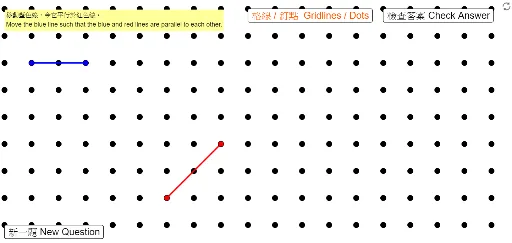
P3 製作平行線2 Making Parallel Lines 2
Loading the math board and drawing, please wait…
In collections
P3 3S1 平行線 / Parallel Lines
This example demonstrates constructing parallel lines using GeoGebra. Key mathematical concepts include properties of lines, parallel line theorems, and vector operations in coordinate geometry. Construction involves commands like Segment, Sequence, Line and objects such as PoRed2y, PoRed2x. Suitable for middle school students learning geometric construction and coordinate geometry fundamentals, useful for classroom teaching or self-study.
GeoGebra Commands & Parameters
Segment(PoBlue1, PoBlue2) → segBlueSegment(PoRed1, PoRed2) → segRedSequence(Sequence[(s, t), s, 0, 25], t, -5, 13) → ListDotsLine(PoBlue1, PoBlue2) → LiBlueLine(PoRed1, PoRed2) → LiRedRandomElement({5, 6, 7, 8, 9, 10}) → PoRed1xTempRandomElement({5, 6, 7, 8, 9, 10}) → PoRed2xTempRandomElement({4, 5, 6, 7, 8}) → PoRed1yTempRandomElement({4, 5, 6, 7, 8}) → PoRed2yTemp
AI Drawing Prompt Reference
Draw a coordinate plane with a blue segment and a red segment, each extended into a full line. The blue segment has fixed endpoints, while the red segment's endpoints have x-coordinates randomly chosen from 5 to 10 and y-coordinates from 4 to 8. Scatter a grid of small dots at integer points where x ranges from 0 to 25 and y from -5 to 13. Show the two lines over this dot grid, emphasizing their parallel relationship.
The prompt above was compiled from the original drawing commands and is for reference only.