
Optimizing the sum with fixed product 36 (GeoGebra construction)
Loading the math board and drawing, please wait…
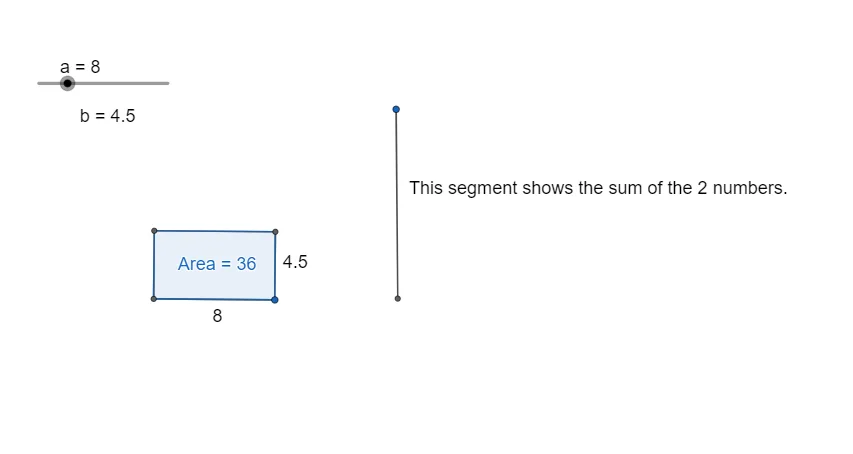
This GeoGebra example demonstrates how a fixed-product constraint (e.g., product equals 36) can lead to a minimum/maximum of a related sum, using geometric construction for intuition. It centers on optimization under a multiplicative constraint, closely connected to ideas like the AM–GM inequality (where equality cases determine the extremal configuration). The construction uses core geometry tools: Line and OrthogonalLine to create lines and perpendiculars, Circle to build constraint-relevant loci, Intersect to compute key intersection points, Segment and Polygon to form meaningful connecting structures, and Point to mark and track the constructed elements. Supplementary text labels (text1/text2) help present the configuration clearly. Suitable for high-school to early-prep levels, especially for lessons combining optimization reasoning with geometric interpretation.
GeoGebra Commands & Parameters
Line(A, B) → fOrthogonalLine(B, f) → gCircle(B, a) → cCircle(B, 36 / a) → dIntersect(c, f, 1) → COrthogonalLine(C, f) → hIntersect(d, g, 2) → DOrthogonalLine(D, g) → iIntersect(h, i) → ESegment(C, B) → jSegment(D, B) → kSegment(E, C) → lSegment(E, D) → mPolygon(E, D, B, C) → q1, e, d_1, b, c_1Line(F, G) → nPoint(n) → HCircle(H, a) → pIntersect(p, n, 2) → ICircle(I, 36 / a) → qIntersect(q, n, 2) → JSegment(H, J) → r
AI Drawing Prompt Reference
Draw a geometric optimization diagram: start with a horizontal line and a fixed point on it, then construct a perpendicular line through that point. Using the fixed point as center, draw two circles with given radii; one circle intersects the horizontal line at a point, through which draw a perpendicular. The other circle intersects the first perpendicular at a point, through which draw another perpendicular. These two new perpendiculars meet at a point, forming a quadrilateral when connected to the fixed point and the two intersection points. Then draw another line, pick a point on it, draw a circle centered there intersecting the line, then from that intersection draw another circle with a different radius, intersecting the line again, and connect these two intersection points with a segment.
The prompt above was compiled from the original drawing commands and is for reference only.