
Geometric Construction for Constrained Optimization with Lines and Circles
Loading the math board and drawing, please wait…
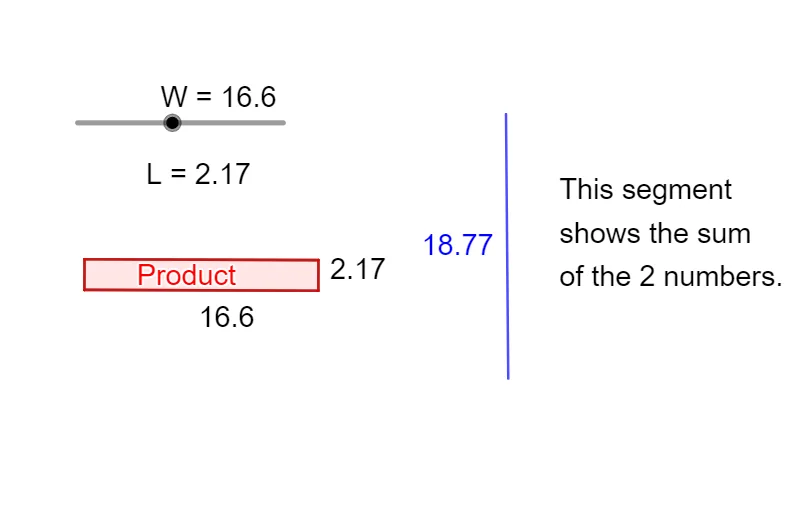
This example demonstrates a geometric route to constrained optimization by constructing lines and circles, locating their intersection points, and using orthogonal (perpendicular) projections to reveal how a target quantity attains an extremal configuration under given restrictions. The key math ideas include optimization (finding a minimum/maximum within constraints), analytic geometry with line–circle relationships (a geometric view related to conic-section behavior), inequality/concept of feasible regions, and distance/projection-based reasoning. It is built in GeoGebra using Line to draw the main lines, OrthogonalLine to form perpendiculars or orthogonal projections, Circle to define the circle constraint, Intersect to compute line–circle intersection points, and Segment/Polygon to assemble the significant lengths and the visual region. The construction involves many labeled points and intermediate entities (e.g., A, B, C, D, E, plus f, g and annotation objects) to guide the optimization narrative. Suitable for advanced high-school or introductory college students studying optimization ideas alongside analytic geometry and inequality-constrained reasoning.
GeoGebra Commands & Parameters
Line(A, B) → fOrthogonalLine(B, f) → gCircle(B, W) → cCircle(B, 36 / W) → dIntersect(c, f, 1) → COrthogonalLine(C, f) → hIntersect(d, g, 2) → DOrthogonalLine(D, g) → iIntersect(h, i) → ESegment(C, B) → jSegment(D, B) → kSegment(E, C) → lSegment(E, D) → mPolygon(E, D, B, C) → q1, e, d_1, b, c_1Line(F, G) → nPoint(n) → HCircle(H, W) → pIntersect(p, n, 2) → ICircle(I, 36 / W) → qIntersect(q, n, 2) → JSegment(H, J) → r
AI Drawing Prompt Reference
Draw two intersecting lines and two circles, where one circle's radius is twice the other. Find the intersection points of the lines with the circles, then draw perpendiculars from these points to the lines to get their feet. Next, find the intersection points of the two circles with the perpendiculars and draw perpendiculars from these points to get their feet. Finally, connect these two feet and draw a triangle that includes the feet, as well as a line segment connecting the triangle's vertices to the center of the circles.
The prompt above was compiled from the original drawing commands and is for reference only.