
Open Middle: Bearings Exercise with GeoGebra
Loading the math board and drawing, please wait…
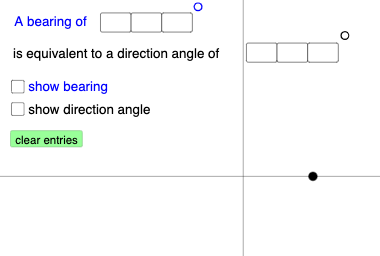
This example demonstrates how to construct a geometric model involving bearings using GeoGebra. It covers core math concepts like angles, geometry, trigonometry, limits, curve sketching, translation, rotation, and function graphing. The construction involves commands and objects such as Textfield, Point, Circle, Rotate, Ray, Intersect, Mode, If, Vector, Angle, Line, Dilate. It is suitable for high school mathematics education to help students understand bearing calculations and geometric transformations.
GeoGebra Commands & Parameters
Textfield(a) → InputBox1Textfield(b) → InputBox2Textfield(c) → InputBox3Textfield(d) → InputBox4Textfield(f) → InputBox5Textfield(g) → InputBox6Textfield(h) → InputBox7Textfield(i) → InputBox8Point(Ray[(0, 0), (1, 0)]) → ACircle((0, 0), A) → eRotate(B, ((-((100 * a) + (10 * b) + c)) * π / 180), (0, 0)) → B'Ray((0, 0), B') → jIntersect(yAxis, xAxis) → CRotate(A, (((100 * d) + (10 * f) + g) * π / 180), (0, 0)) → A'Ray(C, A') → kMode(l1) → l2If(Length[l2] ≟ 0, "No digits repeat!", "Repeated digits exist.") → text4Vector(C, B') → uVector(C, A') → vAngle(B', C, B) → αAngle(A, C, A') → βLine((0, 0), (1, 0)) → nLine((0, 1), (0, 0)) → pDilate(pic1, 0.2, D) → pic1'
AI Drawing Prompt Reference
On a coordinate plane, set the origin as the reference. Draw the horizontal ray and mark a point on it, then construct a circle centered at the origin passing through that point. Using several provided angle inputs, rotate one ray around the origin to get a new direction, then form a ray from the intersection of the axes along this rotated direction. Create another rotated ray by rotating a second initial direction around the origin according to its corresponding angle, and build a ray from the same axis intersection. Define and mark the two key angles formed at the intersection between the original and rotated directions, and include the axis lines and the circle as the main geometric elements. Finally, show a scaled version of the overall figure to accompany the bearing-style configuration.
The prompt above was compiled from the original drawing commands and is for reference only.