
Octahedron Exploration Template
Loading the math board and drawing, please wait…
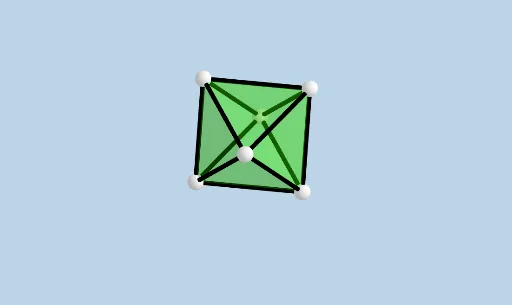
This GeoGebra template demonstrates the construction of an octahedron. Key mathematical concepts include polyhedra in solid geometry. Using commands like Intersect, Point, and Octahedron, the template constructs the faces and edges of the octahedron. Suitable for high school students and math enthusiasts studying solid geometry.
GeoGebra Commands & Parameters
Intersect(zAxis, xAxis) → APoint(xAxis) → BPoint(Circle[Midpoint[A, B], (Distance[A, B] * sqrt(3) / 2), Segment[A, B]]) → COctahedron(A, B, C) → a, D, faceCEF, faceDEF, edgeAC, edgeAB, edgeBC, edgeAF, edgeCF, edgeAD, edgeDF, edgeBD, E, edgeBE, edgeDE, edgeCE, edgeEF, F, faceABC, faceACF, faceADF, faceABD, faceBDE, faceBCENet(a, CreateNet) → c, G, P, faceGHI, faceGIJ, faceGJK, faceGHN, faceHNO, faceHIP, faceIJM, faceJKL, edgeGI, H, edgeGH, edgeHI, edgeIJ, edgeGJ, edgeJK, edgeGK, edgeGN, edgeHN, edgeNO, edgeHO, I, edgeHP, edgeIP, edgeIM, edgeJM, edgeJL, edgeKL, J, K, L, M, N, O
AI Drawing Prompt Reference
Draw a construction process of an octahedron, showing the formation of its faces and edges. Start by drawing two perpendicular axes on a coordinate plane and finding their intersection point. Then, draw a circle centered at a point on one axis, passing through the midpoint between that point and a point on the other axis. Use these three points to construct the vertices and faces of the octahedron, clearly labeling all edges and faces. Finally, draw the net of the octahedron to show the arrangement of its faces.
The prompt above was compiled from the original drawing commands and is for reference only.