
Observation of Side-Length Ratios in Equiangular Triangles
Loading the math board and drawing, please wait…
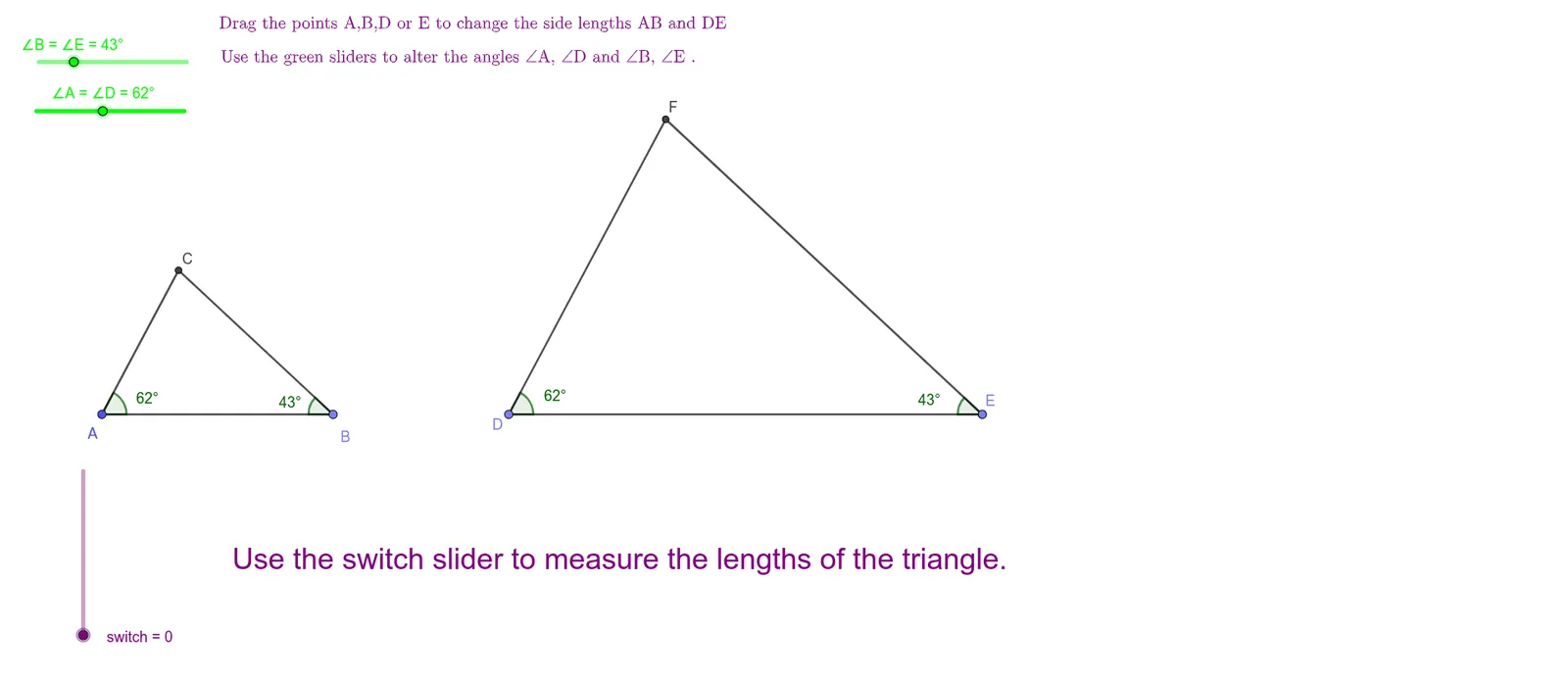
This GeoGebra example demonstrates that when two triangles are equiangular (their corresponding angles are equal), the ratio of lengths of corresponding sides remains invariant across different placements and constructions. The key ideas include equiangular geometry, similar triangles, and the proportionality of corresponding sides derived from angle correspondence. Construction highlights: GeoGebra Point is used to create defining vertices (A, B, C and their transformed points such as A′, B′, D′); Rotate performs the geometric rotation needed to align corresponding angles; Angle marks and enforces the angle conditions (α, β, γ, δ, ε, etc.); Line and Intersect build supporting lines and compute intersection points that determine the new vertex positions; Segment provides measurable side lengths used to form the side-length ratios; Circle supports the rotation/angle-guided placement of points and constraints. Suitable for secondary-level instruction and exploratory learning, especially for teaching similarity, angle-based constructions, and the “unchanged correspondence ratio” phenomenon in geometry.
GeoGebra Commands & Parameters
Point(f) → BRotate(A, (-α), B) → A'Angle(A', B, A) → βLine(A', B) → gLine(A, g) → hRotate(B, γ, A) → B'Angle(B, A, B') → δLine(A, B') → iIntersect(g, i) → CSegment(C, A) → jSegment(C, B) → kSegment(A, B) → lAngle(A, C, B) → εPoint(f) → DCircle(D, (2 * l)) → cPoint(f) → ERotate(E, γ, D) → E'Angle(E, D, E') → ζRotate(D, (-β), E) → D'Angle(D', E, D) → ηLine(E, D') → mLine(D, E') → nIntersect(m, n) → FSegment(E, F) → qSegment(D, F) → rSegment(D, E) → pSegment(A, C) → sSegment(A, B) → tSegment(C, B) → aSegment(D, E) → bSegment(E, F) → dSegment(D, F) → e
AI Drawing Prompt Reference
Draw an equiangular triangle and construct the ratio of corresponding sides through rotation and angle conditions. Start by creating points A, B, and C, then rotate point A around B to generate A', and rotate B around A to generate B'. Use lines and intersections to construct the new vertex C. Next, use a circle and rotation to generate points D and E, then rotate D around E to generate D', and rotate E around D to generate E'. Finally, use lines and intersections to construct the new vertex F. Ensure each step follows the properties of an equiangular triangle and observe if the ratio of corresponding sides remains unchanged.
The prompt above was compiled from the original drawing commands and is for reference only.