
Number Line Tool by Patrick Chung
Loading the math board and drawing, please wait…
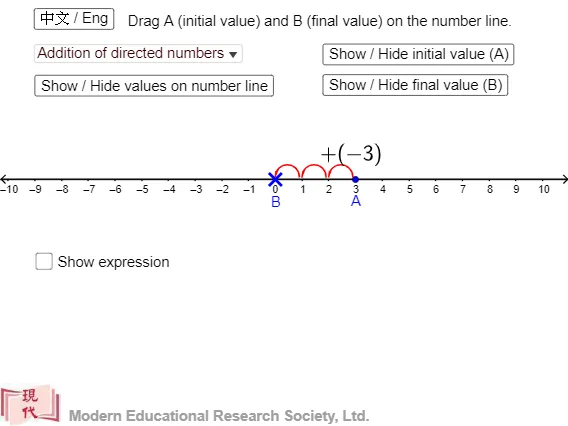
This example demonstrates how to use GeoGebra's Number Line tool to create a number axis and illustrate mathematical concepts like integers, operations, sequences, and statistics. Key math concepts include integers, arithmetic operations, sequences, and statistics. Construction highlights involve commands like Point, If, Sequence, and Corner to create points, conditional logic, sequences, and buttons. Suitable for middle school and above students learning number line operations, mathematical operations, and sequence knowledge.
GeoGebra Commands & Parameters
Point(xAxis) → APoint(xAxis) → BIf(x(B) - x(A) > 0, "+", "") → sign2If(x(B) - x(A) < 0, "+", "") → sign3If(x(A) > 0, "+", "") → signaIf(x(B) - x(A) > 0, "+", "") → signbaIf(x(B) > x(A), "+", "-") → op2If(x(B) > 0, "+", "") → signbSequence(Vector[(((k + x(A) - 0.05) * dis), 0.3), (((k + x(A)) * dis), 0.1)], k, 1, Div[x(B) - x(A), dis]) → l2Sequence(Vector[(((x(A) - k + 0.05) * dis), 0.3), (((x(A) - k) * dis), 0.1)], k, 1, Div[x(A) - x(B), dis]) → l4Corner(1) → CIf(d ≟ true, textb, "") → textansSequence(Semicircle[(((k - 0.9 + x(A)) * dis), 0.1), (((k + x(A)) * dis), 0.1)], k, 1, Div[x(B) - x(A), dis]) → l1Sequence(Semicircle[(((x(A) - k) * dis), 0.1), (((x(A) + 0.9 - k) * dis), 0.1)], k, 1, Div[x(A) - x(B), dis]) → l3