
Normal Distribution Probability Calculator: Interval and Tail Probabilities
Loading the math board and drawing, please wait…
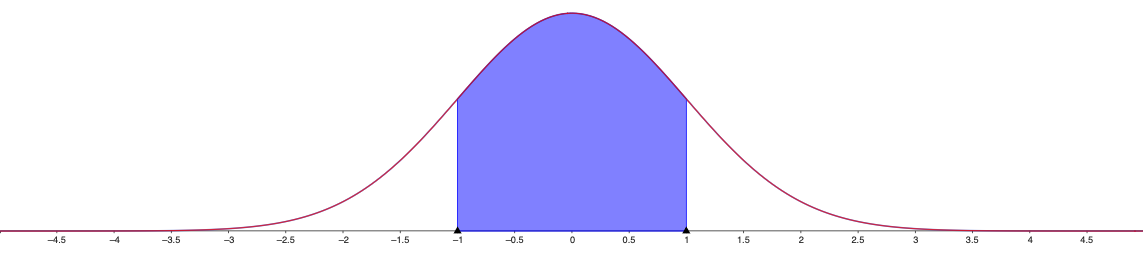
This example demonstrates how to compute probabilities for a normal distribution using an interactive visual calculator, making the relationship between probability and the area under the probability density curve immediately clear. The key mathematical ideas are the normal distribution’s probability density function, the notion behind cumulative probability, and interval probabilities such as P(a ≤ X ≤ b) along with tail probabilities. In construction, it is typically built from a normal pdf curve, vertical markers at the boundaries (a and b), shaded regions under the curve to represent the desired probability, and adjustable parameters for the mean and standard deviation (often via sliders). Although the original prompt provides no GeoGebra construction commands, the setup necessarily relies on function/graphing objects and geometric area/region visualization for probability interpretation. Suitable for high school through early university probability & statistics instruction, classroom demonstrations, and self-study to strengthen understanding of “probability = area under the density curve.”
AI Drawing Prompt Reference
Create a visualization of a normal distribution probability calculator. In the center of the画面 show a smooth bell-shaped curve representing the probability density function. Under the curve, use differently colored shaded regions to represent probabilities: the left tail area from negative infinity to boundary a, the interval probability between a and b, and the right tail area from boundary b to positive infinity. Include two vertical marker lines at positions a and b with corresponding numerical labels below. Add two adjustable sliders for mean and standard deviation parameters, with current values displayed beside each slider. Include coordinate axes with tick marks and necessary numerical labels.
The prompt above was compiled from the original drawing commands and is for reference only.