
Non-Regular Polygons
Loading the math board and drawing, please wait…
In collections
Regular Polygons
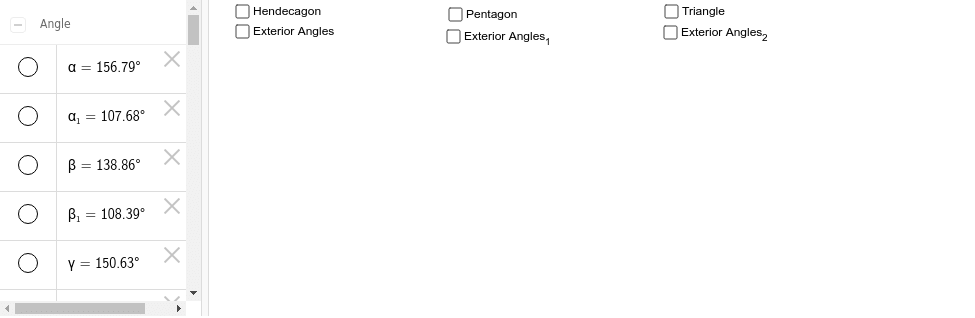
This example demonstrates how to dynamically change the shape of polygons. Using GeoGebra commands such as Polygon, Angle, Ray, etc., non-regular polygons can be created and adjusted. Key mathematical concepts include polygons, angles, and vectors. Suitable for middle school and above students or teachers.
GeoGebra Commands & Parameters
Polygon(A, B, K, C, D, E, F, G, H, I, J) → poly1, a, j, k, b, c, d, e, f, g, h, iAngle(I, H, G) → αAngle(H, G, F) → βAngle(G, F, E) → γAngle(F, E, D) → δAngle(E, D, C) → εAngle(D, C, B) → ζAngle(C, B, A) → ηAngle(B, A, K) → θAngle(A, K, J) → ιAngle(K, J, I) → κAngle(J, I, H) → λRay(H, G) → lRay(G, F) → mRay(F, E) → nRay(E, D) → pRay(D, C) → qRay(B, A) → rRay(C, B) → sRay(A, K) → tRay(K, J) → a_1Ray(J, I) → b_1Ray(I, H) → c_1Point(b_1) → LPoint(c_1) → MPoint(l) → NPoint(m) → OPoint(n) → PPoint(p) → QPoint(q) → RPoint(s) → SPoint(r) → TPoint(a_1) → VAngle(I, J, V) → μAngle(H, I, L) → νAngle(G, H, M) → ξAngle(F, G, N) → οAngle(E, F, O) → ρAngle(D, E, P) → σAngle(C, D, Q) → τAngle(B, C, R) → υAngle(A, B, S) → ϕAngle(K, A, T) → χPoint(t) → WAngle(J, K, W) → ψPolygon(Z, A_1, B_1, C_1, D_1) → poly2, z, a_2, b_2, c_2, d_1Ray(A_1, Z) → e_1Ray(Z, D_1) → f_1Ray(D_1, C_1) → g_1Ray(C_1, B_1) → h_1Ray(B_1, A_1) → i_1Angle(A_1, Z, D_1) → ωAngle(Z, D_1, C_1) → α_1Angle(D_1, C_1, B_1) → β_1Angle(C_1, B_1, A_1) → γ_1Angle(B_1, A_1, Z) → δ_1Point(i_1) → E_1Point(e_1) → F_1Point(f_1) → G_1Point(g_1) → H_1Point(h_1) → I_1Angle(C_1, D_1, G_1) → ε_1Angle(I_1, C_1, H_1) → ζ_1Angle(A_1, B_1, I_1) → η_1Angle(Z, A_1, E_1) → θ_1Angle(D_1, Z, F_1) → ι_1Polygon(J_1, K_1, L_1) → poly3, l_1, j_1, k_1Ray(K_1, J_1) → m_1Ray(J_1, L_1) → n_1Ray(L_1, K_1) → p_1Point(p_1) → M_1Point(m_1) → N_1Point(n_1) → O_1Angle(J_1, L_1, K_1) → κ_1Angle(L_1, K_1, J_1) → λ_1Angle(K_1, J_1, L_1) → μ_1Angle(L_1, J_1, N_1) → ν_1Angle(K_1, L_1, O_1) → ξ_1Angle(J_1, K_1, M_1) → ο_1
AI Drawing Prompt Reference
Draw an 11-sided polygon with vertices connected by angles and vectors. Start by drawing 11 vertices, then create a polygon using these vertices. Next, draw rays from each vertex and mark the intersections of these rays. Finally, draw another polygon using these intersection points and vertices.
The prompt above was compiled from the original drawing commands and is for reference only.