
Non-congruent Pentagon Tiling with P4 Symmetry
Loading the math board and drawing, please wait…
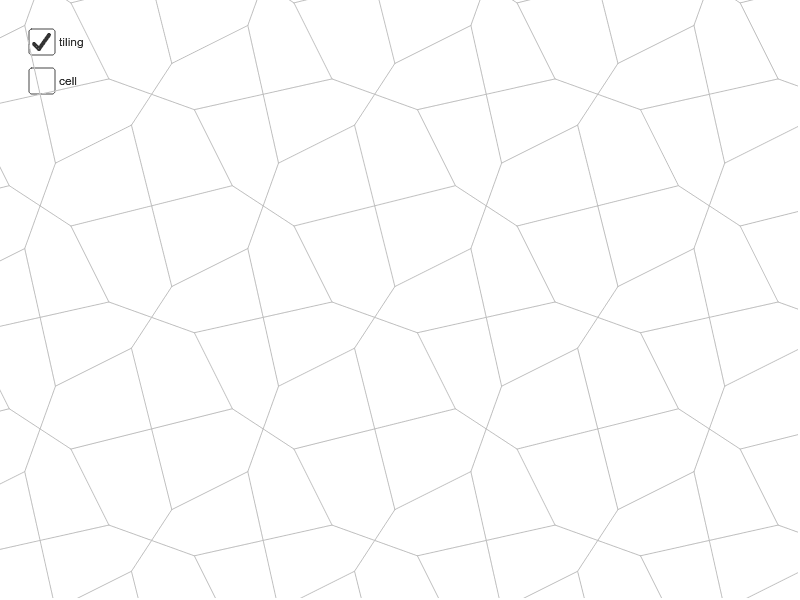
This example demonstrates non-congruent pentagon tiling with P4 symmetry. Key mathematical concepts include symmetry and geometric construction. Using GeoGebra commands such as Midpoint, Segment, Vector, Rotate, and Sequence, specific symmetric pentagons can be constructed. Suitable for high school geometry education to help students understand symmetry and tiling concepts.
GeoGebra Commands & Parameters
Midpoint(C, B) → ISegment(K, N) → hMidpoint(C, A) → HSegment(J, K) → eMidpoint(A, B) → ESegment(K, O) → mSegment(O, L) → fSegment(O, M) → gMidpoint(B, D) → FMidpoint(D, C) → GVector(A, B) → uVector(A, C) → vVector(C, D) → wVector(B, D) → aSegment(H, F) → bSegment(E, G) → cRotate(cell1, 90*°, I) → cell2Rotate(cell1, 180*°, I) → cell3Rotate(cell1, 270*°, I) → cell4Sequence(Translate[Sequence[Translate[tile, Vector[(n * u)]], n, -3, 3], Vector[(m * v)]], m, -3, 3) → tilingSegment(H, I) → kSegment(E, I) → l
AI Drawing Prompt Reference
Draw a non-congruent pentagon tiling with P4 symmetry by creating several pentagons, determining their shapes through midpoints and line segments, using vectors for direction, and rotating one pentagon by 90, 180, and 270 degrees. Finally, translate and combine these rotated pentagons to form a complete symmetric tiling pattern.
The prompt above was compiled from the original drawing commands and is for reference only.