
Net of Hexagonal Prism by Leah McConnell
Loading the math board and drawing, please wait…
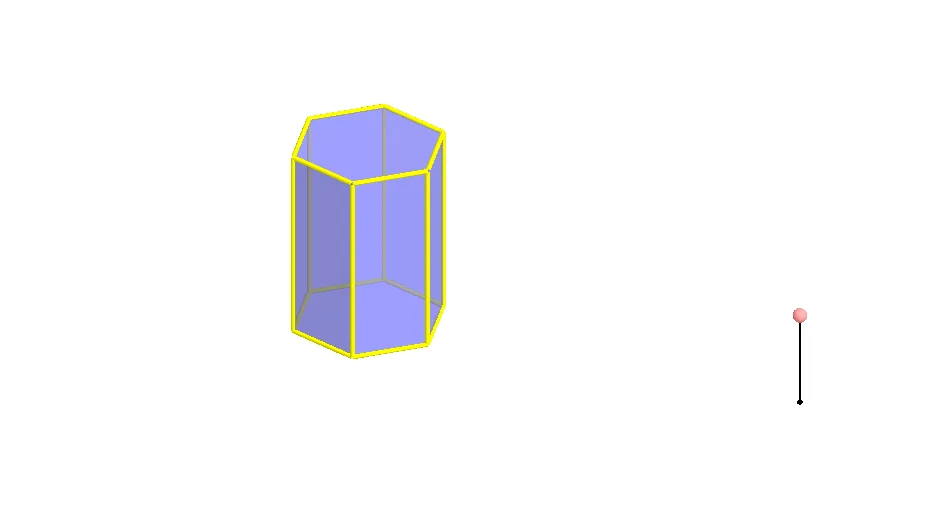
This example demonstrates the net of a hexagonal prism and its construction process. Core math concepts include polygons, solid geometry, and geometric transformations. Construction highlights involve using Polygon, Prism, Segment, Point, Rotate, and Mirror commands to create faces and edges. Suitable for high school students and teachers learning solid geometry.
GeoGebra Commands & Parameters
Polygon(A, B, 6, xOyPlane) → poly1, a, F, b, c, d, e, f, C, D, EPrism(poly1, A + (0, 0, 4)) → g, G, faceEFKJ, face2, face3, edge1, edgeBG, edgeCH, edgeDI, edgeEJ, edgeFK, edge2, H, edgeGH, edgeHI, edgeIJ, edgeJK, edge3, I, J, K, face1, faceBCHG, faceCDIH, faceDEJISegment(M, M + (0, 0, 2)) → hPoint(h) → NRotate(Polygon[E, D, I, J], (90° * t), Segment[D, E]) → poly2Rotate(Polygon[G, H, I, J, K, L], (90° * t), Segment[I, J]) → poly3Rotate(poly3, (90° * t), Segment[D, E]) → poly3'Rotate(Polygon[C, D, I, H], (60° * t), Segment[D, I]) → poly4Rotate(poly4, (90° * t), Segment[D, E]) → poly4'Mirror(poly4, OrthogonalPlane[Midpoint[D, E], Segment[D, E]]) → poly4'_1Rotate(poly4'_1, (90° * t), Segment[D, E]) → poly5Rotate(C, (60° * t), Segment[D, I]) → C'Mirror(Polygon[D, E, J, I], OrthogonalPlane[Midpoint[D, C'], Segment[D, C']]) → poly6Mirror(poly6, OrthogonalPlane[Midpoint[D, E], Segment[D, E]]) → poly6'Rotate(poly6, (90° * t), Segment[D, E]) → poly6'_1Rotate(poly6', (90° * t), Segment[D, E]) → poly6''Mirror(E, OrthogonalPlane[Midpoint[D, C'], Segment[D, C']]) → E'Mirror(poly4, OrthogonalPlane[Midpoint[E', C'], Segment[E', C']]) → poly4'_2Rotate(poly4'_2, (90° * t), Segment[D, E]) → poly7Rotate(poly3, (90° * t), Segment[D, E]) → poly3'_1Polygon(A, B, 6, xOyPlane) → poly8, i, R, j, k, l, m, n, O, P, QRotate(poly6', (90° * t), Segment[D, E]) → poly6''_1Rotate(poly4'_1, (90° * t), Segment[D, E]) → poly9Rotate(Polygon[E, D, I, J], (90° * t), Segment[D, E]) → poly10Rotate(poly4, (90° * t), Segment[D, E]) → poly4'_3Rotate(poly6, (90° * t), Segment[D, E]) → poly6'_2Rotate(poly4'_2, (90° * t), Segment[D, E]) → poly11
AI Drawing Prompt Reference
Draw the net of a regular hexagonal prism. Start with a regular hexagon as the base, then construct a right prism with height 4, obtaining six lateral faces and a top face. Next, rotate each face (top and sides) around its base edge or lateral edge by 90 or 60 degrees, unfolding them onto a plane. Some faces are mirrored to generate their counterparts. Finally, all faces lie flat on the plane, showing the complete net of the hexagonal prism.
The prompt above was compiled from the original drawing commands and is for reference only.