
Net of a Rectangular Prism by Tim Brzezinski
Loading the math board and drawing, please wait…
In collections
Geometry: Surface Area & Volume
Geometry: Surface Area & Volume
Geometry: Surface Area & Volume
GA Chapter 11: Surface Area and Volume
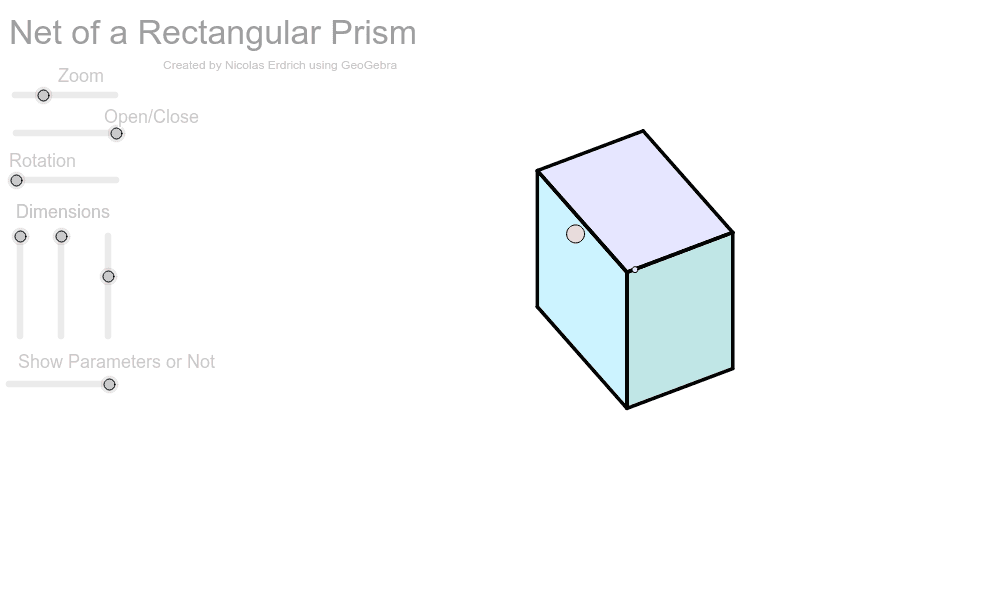
This example demonstrates the net of a rectangular prism. It involves the concept of unfolding and folding in solid geometry. Using GeoGebra commands such as Sequence, Element, and Polygon, it dynamically shows the faces of the rectangular prism. Suitable for middle school and above students learning solid geometry.
GeoGebra Commands & Parameters
Sequence((Mat * Element[cube, k]), k, 1, 8) → cube'Element(Element[AE, 3], 1) → droiteSequence(I + (Element[cube', k, 1, 1], Element[cube', k, 2, 1]), k, 1, 8) → listepointsElement(listepoints, 2) → AElement(listepoints, 1) → EElement(listepoints, 4) → C_1Element(listepoints, 3) → DPolygon(A, E, C_1, D) → poly1, a_1, b, c_1, dElement(listepoints, 6) → BElement(listepoints, 7) → FElement(listepoints, 8) → GElement(listepoints, 5) → HPolygon(B, F, G, H) → poly2, e, f, g, hElement(listepoints, 3) → CPolygon(F, C, A, B) → poly3, f_1, i, a_2, b_1Element(AB, 3, 1) → avantPolygon(C_1, G, H, E) → poly4, c_2, g_1, h_1, e_1Element(AC, 3, 1) → dessusPolygon(F, C, C_1, G) → poly5, f_2, c_3, c_4, g_2Polygon(A, B, H, E) → poly6, a_3, b_2, h_2, e_2Segment(E, A) → cSegment(A, C) → jSegment(A, B) → kSegment(C, C_1) → lSegment(C_1, E) → mSegment(A, B) → pSegment(B, H) → qSegment(H, E) → rSegment(H, G) → sSegment(B, F) → tSegment(G, C_1) → d_1Segment(F, G) → i_1Segment(F, C) → j_1Polygon(A, B, F', D') → poly7, a_4, b_3, f', d'Polygon(E, A, D'', C') → poly8, e_3, a_5, d'', c'Polygon(B, F'', G', H) → poly9, b_4, f'', g', h_3Polygon(H, G'', C''', E) → poly10, h_4, g'', c''', e_4Polygon(A_2, B_2, G'', C''') → poly11, a_6, b_5, g''_1, c'''_1
AI Drawing Prompt Reference
Draw the net of a rectangular prism, consisting of six rectangles: front, back, top, bottom, left side, and right side. Start by drawing the front and back, then the top and bottom, and finally the left and right sides. Connect the edges of these rectangles to form the net.
The prompt above was compiled from the original drawing commands and is for reference only.