
Nested Surface
Loading the math board and drawing, please wait…
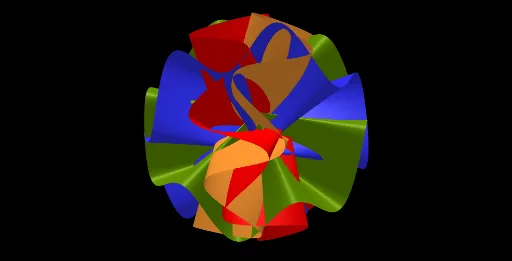
This example demonstrates the intersection of nested surfaces with geometric circles, probability distributions, and geometric mean. Key mathematical concepts include circles, geometric mean, Poisson distribution, and cylinders. Construction involves GeoGebra commands such as Surface, CurveCartesian, and Rotate using objects like a, n, f, r, area, p, Angle, etc. Suitable for high school students or college undergraduates to explore cross-disciplinary applications in geometry and probability.
GeoGebra Commands & Parameters
Surface(((v * r) * sin(k)), ((v * r) * cos(k)), f(k), k, 0, (2 * π), v, 0, 1) → areaCurveCartesian((r * sin(k)), (r * cos(k)), f(k), k, 0, (2 * π)) → pRotate(p, Angle, xAxis) → p'Rotate(p, (-Angle), xAxis) → p'_1Rotate(area, (-Angle), yAxis) → area'_1Rotate(area, Angle, xAxis) → area'Rotate(area', Angle, yAxis) → area''
AI Drawing Prompt Reference
Draw a graphic showing the intersection of nested surfaces with geometric circles, incorporating probability distributions and geometric mean. Start by creating a rotating surface, then draw a geometric circle and rotate it to get a mirrored version. Finally, perform rotations and mirror operations on the intersection of the surface and circle to form a complex geometric structure, highlighting the interdisciplinary application of geometry and probability.
The prompt above was compiled from the original drawing commands and is for reference only.