
Multipurpose 20 Frame Randomizer
Loading the math board and drawing, please wait…
In collections
Elementary Math Resources
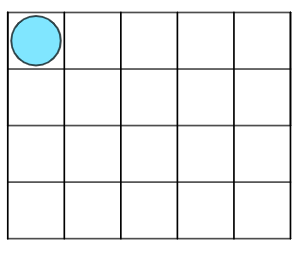
This example demonstrates an interactive tool for randomly generating 20-frame graphics, useful in mathematics education. It involves core math concepts like addition, subtraction, definite integral, and probability & statistics. Construction highlights include using GeoGebra commands like Polygon, Segment, Circle, Random, Sequence, and Translate, along with objects such as A, B, C, D, etc., for geometric transformations. Suitable for middle school and above, ideal for teaching probability, geometry constructions, and calculus concepts visually.
GeoGebra Commands & Parameters
Polygon((0, 0), (10, 0), (10, 4), (0, 4)) → q1, f, g_{1}, h, iSegment((0, 2), (10, 2)) → jCircle(G, 7 / 8) → rCircle(C, 7 / 8) → eCircle(B, 7 / 8) → dCircle(A, 7 / 8) → cCircle(F, 7 / 8) → qCircle(H, 7 / 8) → sCircle(I, 7 / 8) → tCircle(J, 7 / 8) → c_1Circle(D, 7 / 8) → kCircle(E, 7 / 8) → pRandom(0, 20) → a, 1Sequence(Segment[(2 + i, -4), (2 + i, 4)], i, -2, 8, 2) → l1, {8, 8, 8, 8, 8, 8}Translate(f, Vector[(0, -2)]) → f'Translate(f, Vector[(0, -4)]) → f'_{1}Circle(K, 7 / 8) → d_1Circle(L, 7 / 8) → e_1Circle(M, 7 / 8) → f_1Circle(N, 7 / 8) → h_1Circle(O, 7 / 8) → k_1Circle(P, 7 / 8) → p_1Circle(Q, 7 / 8) → q_1Circle(R, 7 / 8) → r_1Circle(S, 7 / 8) → s_1Circle(T, 7 / 8) → t_1
AI Drawing Prompt Reference
In a coordinate plane, first draw a rectangle with corners at (0,0), (10,0), (10,4), and (0,4). Inside it, add a horizontal segment from (0,2) to (10,2). Then place a set of small circles whose centers are the main geometric points associated with the rectangle and the middle line, using the same radius equal to 7/8 for all these circles. Finally, take the circle set corresponding to the selected portion and translate it downward twice (by the given vertical vectors) to create additional repeated circles and overlapping frames suitable for a random 20-frame style composition.
The prompt above was compiled from the original drawing commands and is for reference only.