
Multiplying Fractions (Example 4): Geometric Modeling and Check
Loading the math board and drawing, please wait…
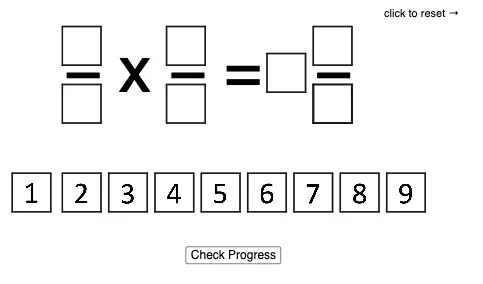
This GeoGebra example demonstrates how multiplying fractions can be represented and verified through a constructed geometric configuration. By using an arrangement of polygons and key intersection-dependent points, the diagram turns fractional multiplication into visible geometric relationships (e.g., length/segment or area-style relations inferred from the constructed figure). The main mathematical ideas include fraction multiplication, geometry construction with polygons, the role of intersections in defining resulting quantities, and the use of constraints that can lead to solving quadratic equations. Construction-wise, the example is driven by Polygon to build the core geometric scaffold (with multiple polygon objects such as poly0, poly3, poly7 and many named vertices like A0–A9 plus points such as B, C, H, P, E, G, and K_1). It also relies on additional geometric/function objects (placeholders like f, g, h, i, j, k, l, m) that support the relationships used to locate intersection points. Suitable for middle school to early high school students, especially for teaching/learning fractions via dynamic geometry and for practicing geometric-algebraic modeling.
GeoGebra Commands & Parameters
Polygon(A0, B, 4) → poly0, f, g, h, i, A, CPolygon(A3, H, 4) → poly3, j, k, l, m, E, GPolygon(A7, P, 4) → poly7, n, p, q, r, I, KPolygon(A1, D, 4) → poly1, s, t, a, b, M, OPolygon(A6, N, 4) → poly6, c, d, e, f_1, Q, SPolygon(A2, K_1, 4) → poly2, k_1, l_1, m_1, n_1, W, ZPolygon(A8, A8 + (2, 0), 4) → poly8, g_1, h_1, i_1, j_1, U, VPolygon(A9, T, 4) → poly9, p_1, q_1, r_1, s_1, A_1, B_1Polygon(A4, J, 4) → poly4, t_1, a_1, b_1, c_1, C_1, D_1Polygon(A5, L, 4) → poly5, d_1, e_1, f_2, g_2, E_1, F_1Polygon(G_1, H_1, 4) → poly10, h_2, i_2, j_2, k_2, I_1, J_1Polygon(G_2, H_2, 4) → poly11, h_3, i_3, j_3, k_3, I_2, J_2Polygon(G_3, H_3, 4) → poly12, h_4, i_4, j_4, k_4, I_3, J_3Polygon(G_4, H_4, 4) → poly13, h_5, i_5, j_5, k_5, I_4, J_4Polygon(G_5, H_5, 4) → poly14, h_6, i_6, j_6, k_6, I_5, J_5Polygon(G_6, H_6, 4) → poly15, h_7, i_7, j_7, k_7, I_6, J_6Polygon(G_7, H_7, 4) → poly16, h_8, i_8, j_8, k_8, I_7, J_7Polygon(G_8, H_8, 4) → poly17, h_9, i_9, j_9, k_9, I_8, J_8Polygon(G_9, H_9, 4) → poly18, h_{10}, i_{10}, j_{10}, k_{10}, I_9, J_9Polygon(G_{10}, H_{10}, 4) → poly19, h_{11}, i_{11}, j_{11}, k_{11}, I_{10}, J_{10}
AI Drawing Prompt Reference
Draw a geometric figure composed of multiple polygons, including core polygons like poly0, poly3, and poly7, along with points defined by intersections such as B, H, and P. The figure should show connections and intersection relationships between polygons to illustrate the geometric meaning of fraction multiplication. The construction order should start from core polygons and gradually add intersection-related polygons to ensure a clear structure.
The prompt above was compiled from the original drawing commands and is for reference only.