
Multiplication as an Array
Loading the math board and drawing, please wait…
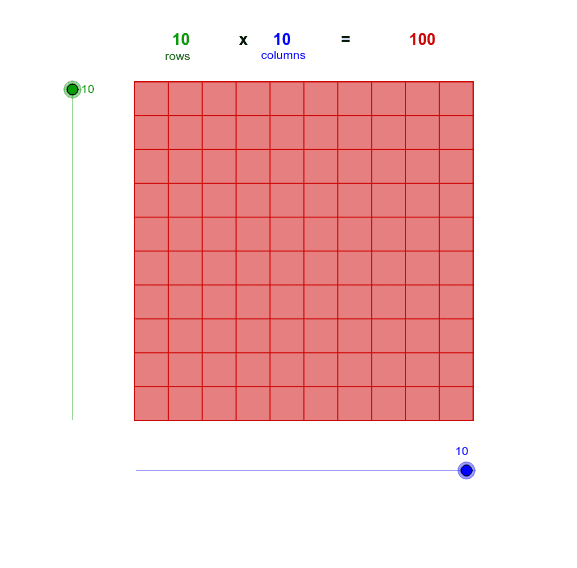
This example demonstrates multiplication through an array. It involves the core mathematical concepts of multiplication and numbers. Using GeoGebra commands such as Point, Segment, Polygon, etc., an array representation of multiplication is constructed. Suitable for high-grade elementary or junior high school students to learn about multiplication and arrays.
GeoGebra Commands & Parameters
Point(Circle[A, Columns]) → BSegment(A, B) → aOrthogonalLine(A, a) → bOrthogonalLine(B, a) → cCircle(A, Rows) → dIntersect(d, b, 2) → CLine(C, a) → eIntersect(c, e) → DPolygon(A, B, D, C) → poly1, a_1, b_1, d_1, c_1Sequence(Segment[A + (i * (1, 0)), C + (i * (1, 0))], i, 1, Columns) → list1Sequence(Segment[A + (i * (0, 1)), B + (i * (0, 1))], i, 1, Rows) → list2
AI Drawing Prompt Reference
Draw a rectangle to represent multiplication, create a grid inside the rectangle by drawing horizontal and vertical lines, where the number of rows and columns represents the two factors of the multiplication, connect the corner points of the grid with lines to form a clear array structure, demonstrating the array model of multiplication.
The prompt above was compiled from the original drawing commands and is for reference only.