
Multiples of 5 Circle Sort Interactive Demo
Loading the math board and drawing, please wait…
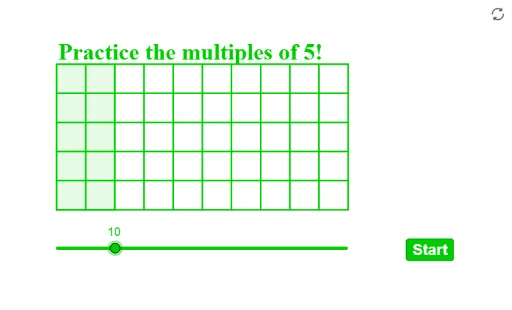
This example demonstrates the multiples of 5 (5, 10, 15, 20, 25, 30, 35, 40, 45, 50) arranged randomly on a circle, with points connected by a polygon to visualize their distribution and sorting. Core math concepts include arithmetic multiples, circle geometry, polygon construction, and random sequence generation. Construction highlights: uses GeoGebra commands Shuffle to randomize the number list, Element to extract items, Circle to draw the base circle, Polygon to connect points on the circle, and Sequence to generate series; objects include points A1-J1, lists listp and listq, polygon vertices P1-P10, and auxiliary parameters like rR. Suitable for upper elementary to middle school students to grasp multiples, also useful for demonstrating random permutation in probability, or as an engaging tool combining geometry and arithmetic.
GeoGebra Commands & Parameters
Shuffle(listp) → listq, {(12, 11), (14, 14), (6, 11), (11, 14), (8, 14), (3, 11), (5, 14), (15, 11), (9, 11), (2, 14)}Element(listq, 1) → P1Element(listq, 2) → P2Element(listq, 3) → P3Element(listq, 4) → P4Element(listq, 5) → P5Element(listq, 6) → P6Element(listq, 7) → P7Element(listq, 8) → P8Element(listq, 9) → P9Element(listq, 10) → P10Circle(P1, rR) → aaCircle(P2, rR) → bbCircle(P3, rR) → ccCircle(P4, rR) → ddCircle(P5, rR) → eeCircle(P6, rR) → ffCircle(P7, rR) → ggCircle(P8, rR) → hhCircle(P9, rR) → iiCircle(P10, rR) → jjShuffle(listquestion) → listqn, {7, 8, 3, 1, 6, 5, 4, 2, 10, 9}Element(listqn, elm) → qQPolygon((2, 9), (2, 14), (a / 5 + 2, 14), (a / 5 + 2, 9)) → q1, f, g, h, iSequence(Segment[(2, 9 + n), (12, 9 + n)], n, 0, 5) → l1Sequence(Segment[(m, 9), (m, 14)], m, 2, 12) → l2
AI Drawing Prompt Reference
Draw circles with the same radius centered at points P1 to P10. Then connect these points to form a decagon with multiples of 5, starting from 5 and increasing by 5 each time (10, 15, 20, 25, 30, 35, 40, 45, 50). Finally, draw a line segment from point (2,9) to (2,14), and then draw 5 parallel line segments from (2,9) to (12,9).
The prompt above was compiled from the original drawing commands and is for reference only.