
MTH23A: Spherical Coordinates
Loading the math board and drawing, please wait…
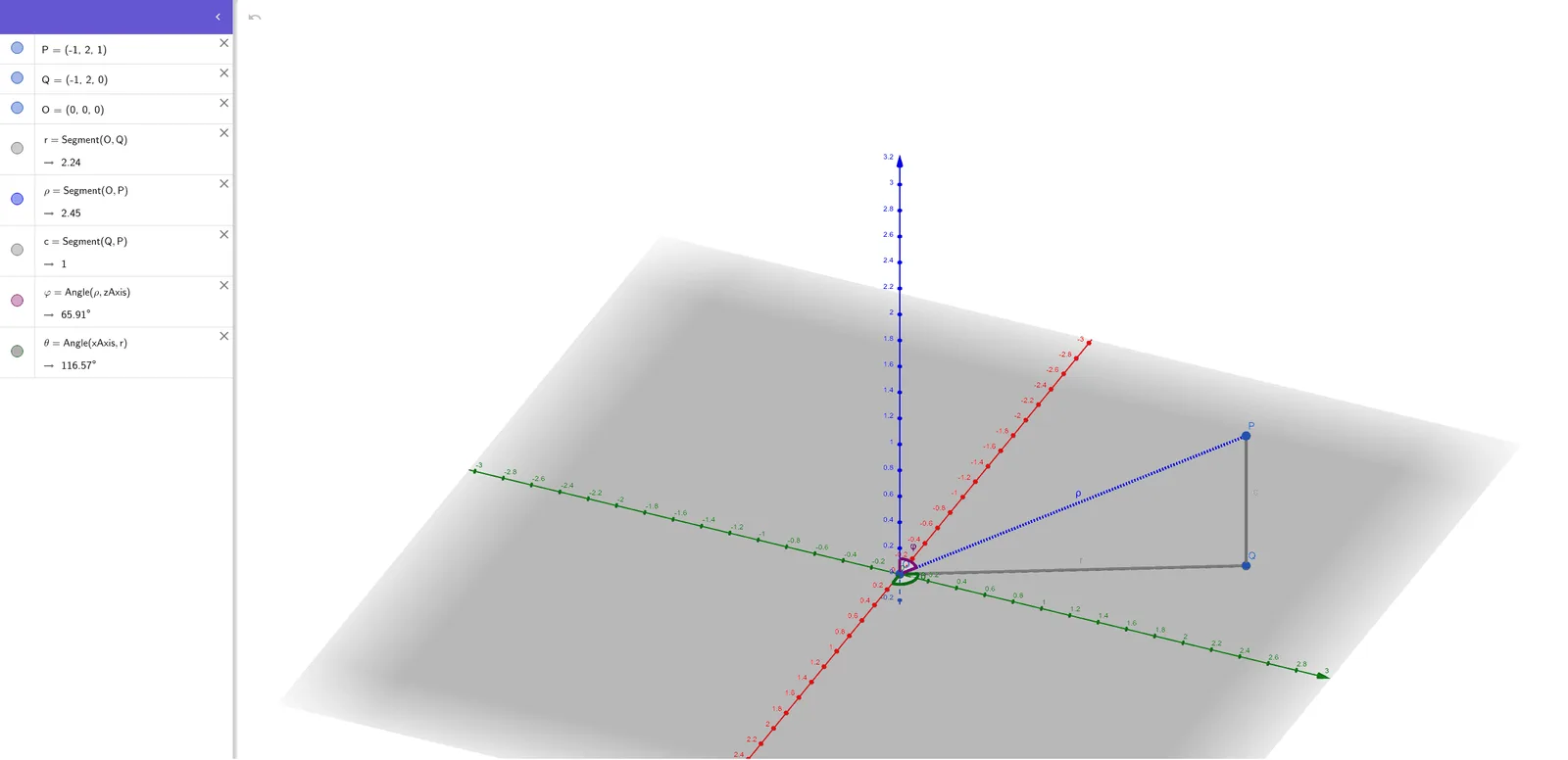
This GeoGebra example demonstrates the geometric representation of spherical coordinates in 3D space, allowing users to interactively adjust the radial distance, polar angle, and azimuthal angle to see how the point P moves on a sphere. The core mathematical concepts include the definition of spherical coordinates (r, φ, θ), conversion between spherical and Cartesian coordinates, angular measurement in 3D, and spherical geometry. Construction details: using GeoGebra commands Segment and Angle, the example creates radial segments from the origin O to point P, auxiliary segments for angles φ and θ, and angle markers. Key objects include points P, Q, O, radius r, radial distance ρ, auxiliary point c, and angles φ and θ, all controlled via sliders or input fields. This is ideal for university-level calculus or multivariable calculus courses when teaching spherical coordinates, triple integrals, or vector fields, and also useful for advanced high school mathematics or physics to build spatial intuition.
GeoGebra Commands & Parameters
Segment(O, Q) → rSegment(O, P) → ρSegment(Q, P) → cAngle(ρ, zAxis) → φAngle(xAxis, r) → θ
AI Drawing Prompt Reference
Draw a point P in a spherical coordinate system defined by radial distance r, polar angle φ, and azimuthal angle θ. First, draw a line segment from the origin O to point P representing r. Then, draw an auxiliary line segment c from Q to P. Next, draw the angle φ between ρ and the z-axis, and the angle θ between r and the x-axis.
The prompt above was compiled from the original drawing commands and is for reference only.