
Spherical Coordinates – Sweeping Out a Sphere
Loading the math board and drawing, please wait…
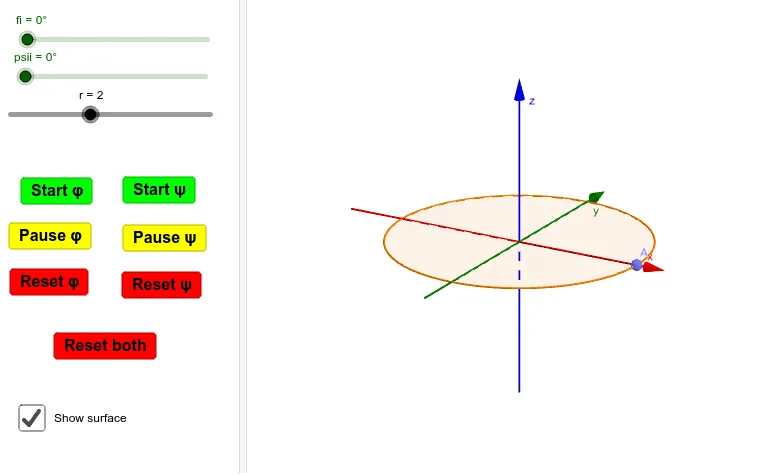
① This example dynamically demonstrates how a complete sphere can be generated by sweeping out a surface using spherical coordinates (radial distance r, polar angle ψ, and azimuthal angle φ). ② Core mathematical concepts include the spherical coordinate system, parametric surfaces, the equation of a sphere, meridians and parallels, and rotational sweeping in 3D space. ③ Construction highlights: using GeoGebra commands such as Sphere, IntersectPath, Segment, CircleSector, Plane, and Surface; objects include sliders r, fi, psii, auxiliary points A, Axy, Ax, and multiple buttons (przycisk1–7) to control the sweeping animation. ④ Suitable for senior high school or early university students learning multivariable calculus, solid geometry, and 3D visualization, as well as for teachers demonstrating the relationship between spherical coordinates and parametric surfaces.
GeoGebra Commands & Parameters
Sphere(O, r) → aIntersectPath(xOyPlane, a) → cSegment(O, A) → bSegment(A, Axy) → dSegment(Axy, Ax) → AxAxySegment(O, Ax) → fSegment(O, Axy) → promienplaskiCircleSector(O, Ofi, Pfi, xOyPlane) → wycinekfiiPlane(d, b) → AOAxyCircleSector(O, Pfi, Ppsi, AOAxy) → wycinekpsiiSurface(((r * cos(t)) * cos(s)), ((r * sin(t)) * cos(s)), (r * sin(s)), t, 0, fi, s, 0, psii) → powgorna
AI Drawing Prompt Reference
Draw a sphere using spherical coordinates. First, create a sphere a with center O and radius r. Then, find the intersection of sphere a with the xOy plane to get line c. Next, create line segments b from O to A, d from A to Axy, and from Axy to Ax, as well as line segments from O to Ax and O to Axy. Use these segments to create two circular sectors wycinekfii and wycinekpsii. Finally, use parametric equations to draw the upper part of the sphere powgorna.
The prompt above was compiled from the original drawing commands and is for reference only.