
Monty Hall Problem Demonstration
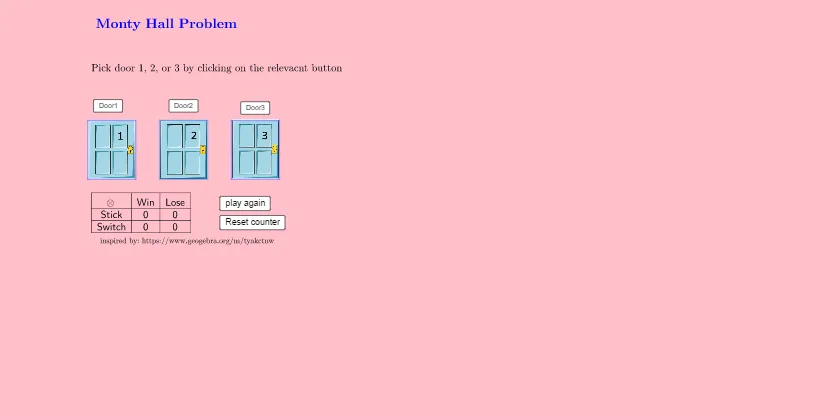
Loading the math board and drawing, please wait…
This example demonstrates the classic Monty Hall problem, showcasing probability variations through a simulated door-switching process. It involves core math concepts like Probability & Statistics, Hypergeometric Distribution, Frequency Distribution, and Normal Distribution. Construction highlights include GeoGebra commands/objects such as Random, Intersect, Point, Polygon, If, and TableText. Suitable for high school and university-level probability, statistics, and logical reasoning education or introductory courses.
GeoGebra Commands & Parameters
Random(1, 3) → wdIntersect(xAxis, yAxis) → A_1Point(xAxis) → B_1Point(xAxis) → C_1Point(xAxis) → D_1Point(xAxis) → E_1Point(xAxis) → F_1Polygon(I, A_1, B_1, J) → q1, i, a_1, b_1, jPolygon(U, C_1, D_1, V) → q2, u, c_1, d_1, vPolygon(W, E_1, F_1, Z) → q3, w, e_1, f_1, z_1If(Mod[wd + 1, 3] ≟ 0, 3, Mod[wd + 1, 3]) → ld1If(Mod[wd + 2, 3] ≟ 0, 3, Mod[wd + 2, 3]) → ld2If(picked ≟ ld1, ld2, If[picked ≟ ld2, ld1, RandomElement[{ld1, ld2}]]) → montyIf(picked ≟ wd, 1, 0) → stickscoreIf(switched ≟ wd, 1, 0) → switchedscoreTableText({{A1, B1, C1}, {A2, B2, C2}, {A3, B3, C3}}, "|_ccc") → text6
AI Drawing Prompt Reference
Create a 3D probability demonstration of the Monty Hall problem. Place three rectangular doors on the coordinate plane, with one randomly hiding a prize. In front of the doors, show a point for the player's initial pick and another for the host's revealed door, with arrows indicating the switching option. Below, include a table displaying scores for sticking versus switching strategies. The layout should clearly emphasize the probability comparison.
The prompt above was compiled from the original drawing commands and is for reference only.