
Fibonacci Sequence Calculator
Loading the math board and drawing, please wait…
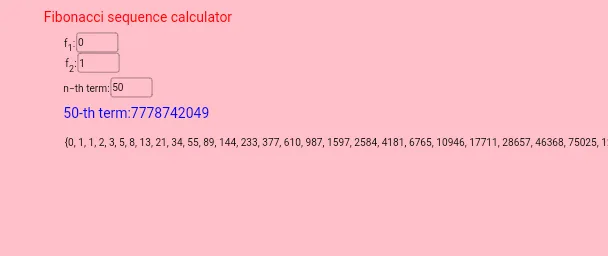
This example demonstrates the generation and visualization of the Fibonacci sequence. Core math concepts include sequences, iteration, and recursive relationships. Construction highlights the use of GeoGebra commands like Iteration, Textfield, and IterationList, along with objects such as f2, f1, n, a, b, InputBox1, text1, InputBox2, InputBox3, text2, l1, and text3. Ideal for high school students and math enthusiasts exploring sequence generation principles and dynamic demonstrations.
GeoGebra Commands & Parameters
Iteration(a + b, a, b, {f1, f2}, n - 1) → aTextfield() → bTextfield(n) → InputBox1Textfield(f1) → InputBox2Textfield(f2) → InputBox3IterationList(a + b, a, b, {f1, f2}, n - 1) → l1
AI Drawing Prompt Reference
Create a dynamic visualization of a Fibonacci sequence calculator. Include three input fields for entering the number of terms, the first term, and the second term. Display a text box showing the computed current term result. Below, generate a list of sequence values from the first term up to the specified count, arranged as points or text in order. Illustrate the iterative relationship where each term is the sum of the previous two, using arrows or connecting lines to show the recurrence. Keep the layout clear for educational demonstration, emphasizing the sequence generation pattern.
The prompt above was compiled from the original drawing commands and is for reference only.