
Module 29: Cuboid Construction and Net
Loading the math board and drawing, please wait…
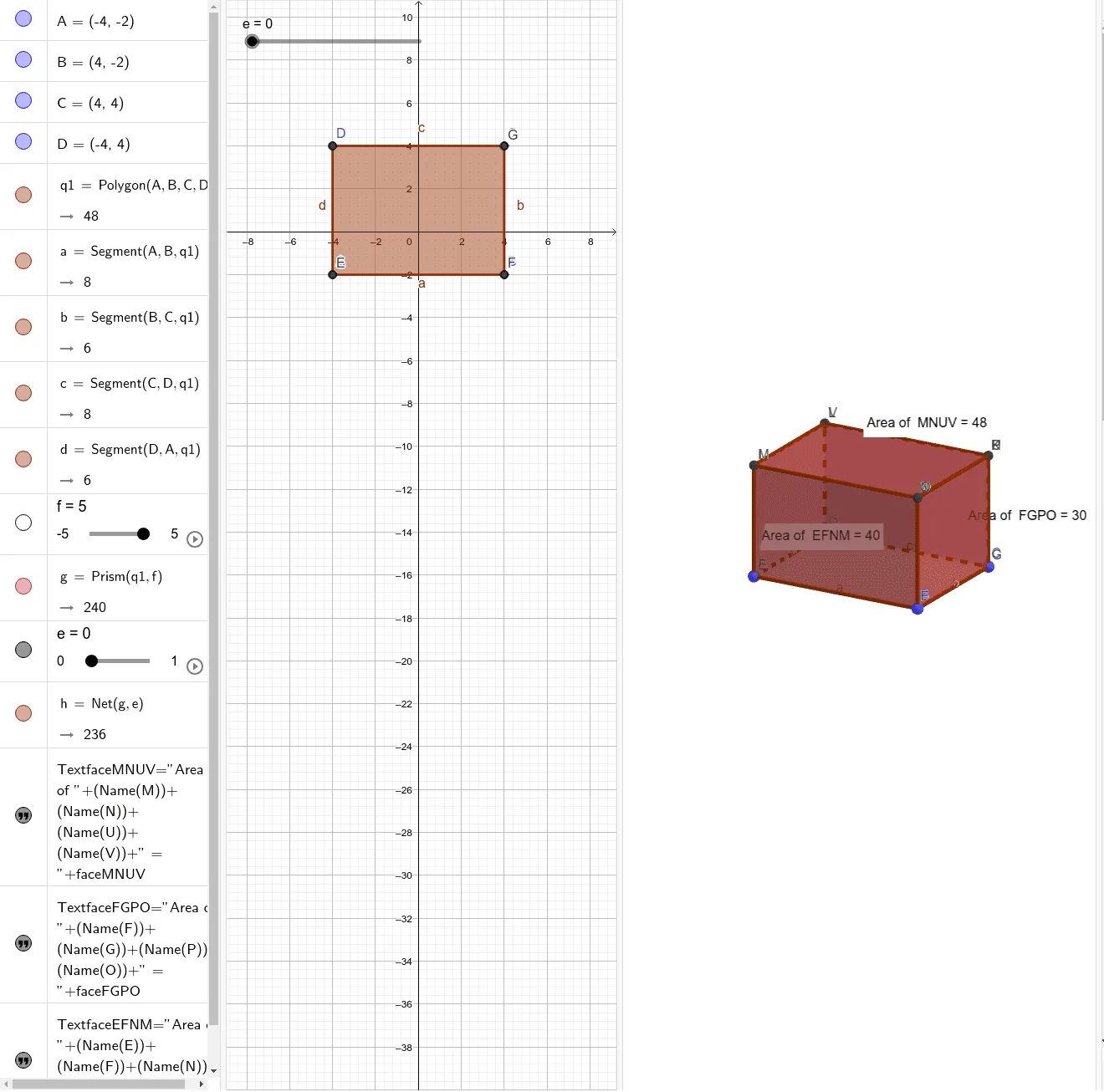
This example demonstrates how to construct a cuboid from scratch in GeoGebra's 3D view and generate its net, visually showing the correspondence between the solid and its planar unfolding. Core mathematical concepts include properties of cuboids in solid geometry (faces, edges, vertices) and the planar representation of a net, involving polygons, prisms, and spatial point positioning. Construction highlights: from the summary, the Polygon command creates the base polygon, Prism generates the cuboid, Net produces the unfolding, and PointIn places points on faces; objects include vertices A, B, C, D, edges like edgeAI and edgeBJ, faces like faceABJI and faceBCKJ, plus auxiliary points E, F, G, H, M, N, O, P, Q, R, reflecting a complete geometric construction workflow. Suitable for middle and high school students learning solid geometry, developing spatial visualization skills, and for introductory GeoGebra 3D construction teaching, as well as math lab activities or teacher demonstrations.
GeoGebra Commands & Parameters
Polygon(A, B, C, D) → q1, a, b, c, dPrism(q1, f) → g, I, edgeAI, edgeBJ, edgeCK, edgeDL, edgeIJ, edgeJK, edgeKL, edgeIL, J, K, L, faceABJI, faceBCKJ, faceCDLK, faceADLI, faceIJKLNet(g, e) → h, E, R, S, T, U, V, faceEFGH, faceEFNM, faceFGPO, faceGHRQ, faceEHST, F, faceMNUV, edgeEF, edgeFG, edgeGH, edgeEH, edgeEM, edgeMN, edgeFN, edgeFO, edgeOP, G, edgeGP, edgeGQ, edgeQR, edgeHR, edgeHS, edgeST, edgeET, edgeNU, edgeUV, edgeMV, H, M, N, O, P, QPointIn(faceMNUV) → PointfaceMNUVPointIn(faceFGPO) → PointfaceFGPOPointIn(faceEFNM) → PointfaceEFNM
AI Drawing Prompt Reference
Draw a net of a cuboid, starting with a quadrilateral as the base, extending upward to form the cuboid, then showing the unfolded net consisting of six rectangles, and label points on the net corresponding to each face of the cuboid to illustrate the relationship between the solid and its planar unfolding. Finally, place points on two faces of the net to highlight the correspondence.
The prompt above was compiled from the original drawing commands and is for reference only.