
Maximum Area with Fixed Perimeter
Loading the math board and drawing, please wait…
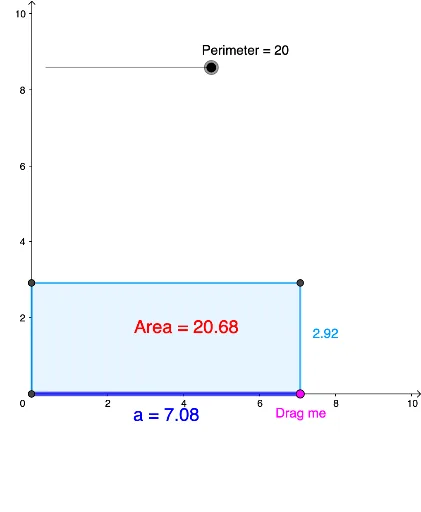
This applet demonstrates how to construct a rectangle with the maximum area given a fixed perimeter. Key mathematical concepts include area and perimeter. Using GeoGebra commands such as Intersect, Segment, Point, Polygon, Centroid, Vector, Midpoint, etc., the applet visually illustrates the variation of the rectangle's area. Suitable for students at the junior high school level and above to learn about geometric optimization problems.
GeoGebra Commands & Parameters
Intersect(xAxis, yAxis) → ASegment(A, B_1) → fPoint(f) → BPolygon(D, A, B, C) → q1, d, a, b, cCentroid(q1) → FVector(Q, G) → uVector(Q, H) → vMidpoint(A, B) → I
AI Drawing Prompt Reference
Draw a coordinate system with a point at the origin as one vertex of a rectangle. From this vertex, draw a horizontal segment along the x-axis, and place a movable point on this segment as the second vertex. Complete the rectangle using these two adjacent vertices, with opposite sides parallel to the axes. Mark the centroid of the rectangle, and draw two vectors from the centroid to the midpoints of two adjacent sides. Finally, mark the midpoint of the horizontal segment. The figure illustrates how the rectangle's area changes with the movable point while keeping the perimeter fixed.
The prompt above was compiled from the original drawing commands and is for reference only.