
Making Equilateral Triangles
Loading the math board and drawing, please wait…
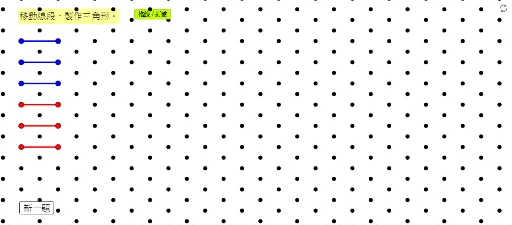
This example demonstrates how to construct equilateral triangles on a square grid. Key mathematical concepts include properties of triangles and geometric construction. Commands used include Segment, Sequence, etc. Suitable for middle school and above students learning geometric construction.
GeoGebra Commands & Parameters
Segment(Blue1a, Blue1b) → SegBlue1Segment(Blue2a, Blue2b) → SegBlue2Segment(Blue3a, Blue3b) → SegBlue3Segment(Red1a, Red1b) → SegRed1Segment(Red2a, Red2b) → SegRed2Segment(Red3a, Red3b) → SegRed3Sequence(Sequence[((sqrt(3) * s), t), s, -1, 13], t, -4, 13) → ListDots1Sequence(Sequence[((sqrt(3) * s) + sqrt(3) / 2, t + 1 / 2), s, -1, 13], t, -4, 13) → ListDots2
AI Drawing Prompt Reference
Draw a square on a grid. Then, draw three sides of an equilateral triangle from each vertex of the square. Next, use the properties of equilateral triangles to draw a series of points around the square, with the arrangement of these points related to the side length and angles of the equilateral triangles.
The prompt above was compiled from the original drawing commands and is for reference only.