
Magnitude and Direction of Vectors
Loading the math board and drawing, please wait…
In collections
Vector Operations
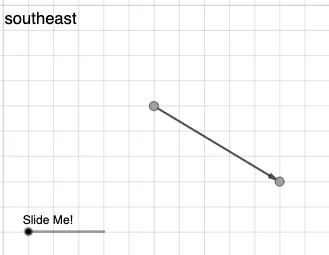
This example demonstrates how to find the magnitude of a vector using GeoGebra. Key mathematical concepts include the length and direction of vectors. Commands used include Intersect, Vector, Dilate, Midpoint, If, Angle. Suitable for students in middle school and above to learn basic vector concepts.
GeoGebra Commands & Parameters
Intersect(eq2, g) → EVector(A, B) → uIntersect(f, eq1) → CDilate(E, If[2 < a ≤ 3, 3 - a, 0], B) → C'Dilate(A, If[1 < a ≤ 2, 2 - a, 0], E) → A'Vector(A, A') → vMidpoint(A, B) → DVector(E, C') → wIf(y(E) < y(A), "south", y(E) > y(A), "north") → text10If(x(B) < x(A), "west", x(B) > x(A), "east") → text12Angle(B, E, A) → α
AI Drawing Prompt Reference
Draw a vector showing its magnitude and direction. First, find the intersection of two lines, then draw a vector from the starting point to the intersection. Next, scale this vector based on conditions, find the midpoint and another intersection point. Finally, label the direction (south or north) and horizontal direction (east or west) of the vector, and calculate the angle between the vector and the horizontal line.
The prompt above was compiled from the original drawing commands and is for reference only.