
Logarithmic Spiral Linked to Regular Polygons
Loading the math board and drawing, please wait…
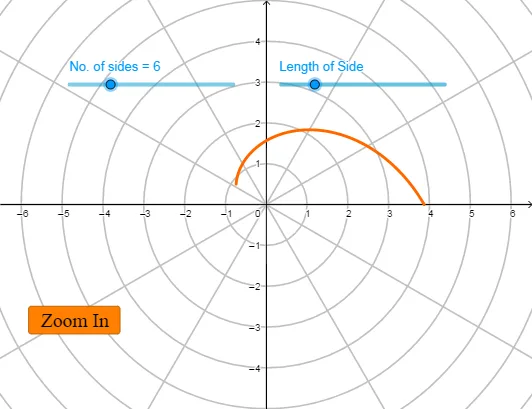
This example demonstrates how to construct a logarithmic spiral in Cartesian coordinates whose shape is tied to the structure of regular polygons, highlighting how the curve evolves as key parameters change. The main mathematical ideas include logarithmic functions, exponential relationships, and a parameterization driven by polygon geometry (angle stepping derived from regular polygon angles). Construction-wise, it uses GeoGebra’s CurveCartesian command to draw the locus/curve, while parameters and controls—angl, n, d, a, and button1—coordinate the geometry-to-function mapping: angl represents the driving angular increment, n sets the polygon’s side count (or the corresponding iteration level), and d and a tune scaling and the exponential/log-related rate, with button1 used to trigger the construction or switch states. Suitable for high school through early university contexts, especially for teaching function graphs, parametric curve construction, and the connection between analytic expressions and geometric loci.
GeoGebra Commands & Parameters
CurveCartesian(((d / ((2 * sin(π / n))) * ℯ^(((-tan(π / n)) * θ))); θ), θ, 0, angl) → a
AI Drawing Prompt Reference
Draw a logarithmic spiral linked to regular polygons. The shape is determined by the polygon's side count, and the angular increment is controlled by angl. Parameters d and a adjust scaling and rate. Construction order: first draw the regular polygon, then construct the logarithmic spiral based on its side count and parameters.
The prompt above was compiled from the original drawing commands and is for reference only.