
Locus Maintaining a Fixed Distance from a Line Segment
Loading the math board and drawing, please wait…
In collections
Locus
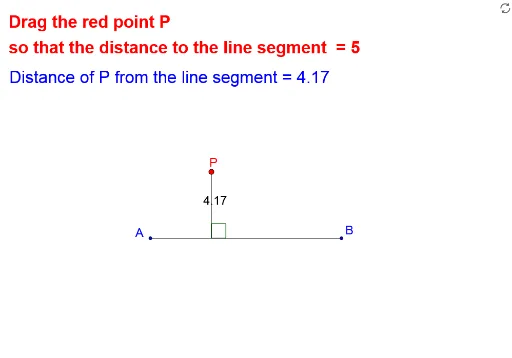
This example demonstrates the locus of points maintaining a fixed distance from a line segment. Key mathematical concepts include geometric construction and locus. Using GeoGebra commands such as Segment, OrthogonalLine, and Intersect, the construction of the locus is achieved. Suitable for high school geometry, this helps students understand the concept of a locus.
GeoGebra Commands & Parameters
Segment(A, B) → aOrthogonalLine(P, a) → bIntersect(b, a) → DSegment(P, D) → cSegment(P, B) → dSegment(P, A) → eIf(x(P) < x(A), e) → fIf(x(P) > x(B), d) → gLine(A, B) → hPoint(h) → HIf(y(P) > -2, Angle[H, D, P], Angle[P, D, H]) → αIf(x(P) < x(A), If[abs(f - 5) ≤ 0.02, P]) → FIf(x(P) > x(B), If[abs(g - 5) ≤ 0.02, P]) → EIf(abs(c - 5) ≤ 0.02, P) → G
AI Drawing Prompt Reference
Draw a line segment and two perpendicular lines through its endpoints. Find the intersections of these perpendiculars with the segment. Connect the midpoint of the segment to these intersections. Then, draw arcs of length 5 units centered at the endpoints of the segment on both sides, connecting the ends of these arcs to form the locus of points maintaining a fixed distance from the segment.
The prompt above was compiled from the original drawing commands and is for reference only.