
Lissajous Curve Construction
Loading the math board and drawing, please wait…
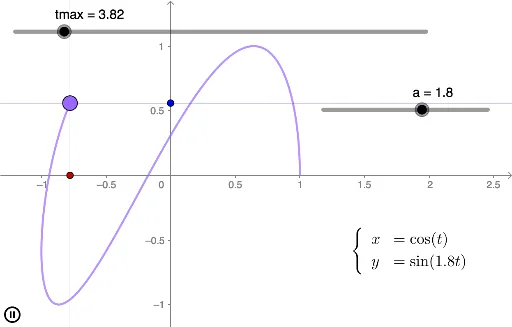
This example demonstrates how to construct Lissajous curves using GeoGebra, showcasing the trajectory phenomenon of parametric equations in Cartesian coordinates. It involves core mathematical concepts such as parametric equations, trigonometric functions, coordinate geometry, and dynamic parameter adjustment via sliders. Key GeoGebra commands used include CurveCartesian for plotting parametric curves and OrthogonalLine for adding orthogonal aids, with parameters like tmax, a, A, B, C, b, f, g for control. Suitable for high school mathematics students learning parametric equations and university-level foundational mathematics instruction.
GeoGebra Commands & Parameters
CurveCartesian(cos(t), sin((a * t)), t, 0, tmax) → bOrthogonalLine(C, xAxis) → fOrthogonalLine(C, yAxis) → g