
Lines of AG(2,4) Example
Loading the math board and drawing, please wait…
In collections
Affine planes
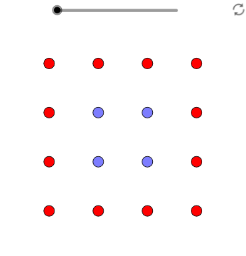
This example demonstrates the construction and properties of lines under AG(2,4) conditions. It involves core mathematical concepts such as coordinate geometry, line equations, and geometric transformations. Key GeoGebra commands used include Point, Line, Conic, Mirror, and Rotate to create points, lines, conic sections, and perform reflections and rotations. Suitable for high school mathematics teaching and learning, helping students understand the application of line equations and geometric transformations.
GeoGebra Commands & Parameters
Point(xAxis) → APoint(yAxis) → BPoint(xAxis) → CPoint(xAxis) → HPoint(yAxis) → KLine(O, L) → fLine(P, K) → gLine(E, J) → hLine(F, I) → iLine(O, F) → jLine(N, G) → kLine(M, H) → lLine(L, I) → mLine(O, I) → nLine(F, L) → pPoint(n) → QConic(E, G, K, M, Q) → cConic(P, G, C, L, S) → e_1Mirror(e_1, x = 0.5) → e_2Rotate(e_1, π / 2, (0.5, 0.5)) → f_1Rotate(e_2, π / 2, (0.5, 0.5)) → f_2Rotate(e_4, π / 2, (0.5, 0.5)) → f_4Mirror(c, x = 0.5) → dMirror(e_1, y = 0.5) → e_3Rotate(e_3, π / 2, (0.5, 0.5)) → f_3
AI Drawing Prompt Reference
Draw two coordinate axes and create points on them. Connect the origin to one point to form a line, then connect other points to points on this line to form multiple lines. Use these lines to construct two conic sections, perform reflections over x=0.5 and y=0.5, and then rotate one by π/2 around (0.5, 0.5), followed by the same rotation on the other to demonstrate geometric transformations.
The prompt above was compiled from the original drawing commands and is for reference only.