
Line Reflection and Measurements
Loading the math board and drawing, please wait…
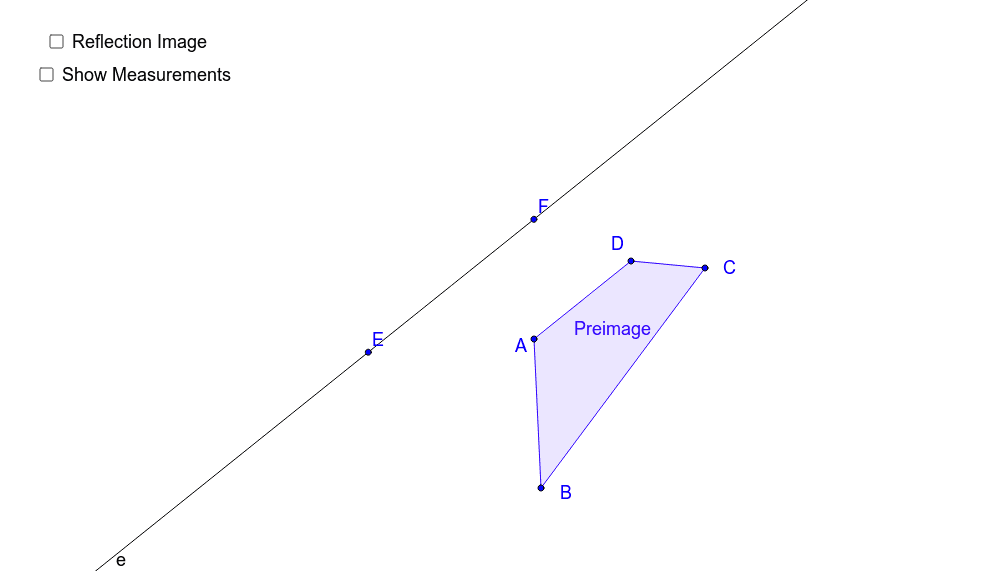
This example demonstrates the transformation of a shape through reflection across a line, with the ability to show or hide key measurements via buttons. Core mathematical concepts include reflection transformation, angles, distances, and polygon construction. It uses commands like Polygon, Line, Mirror, Segment, Intersect, Angle, Distance to construct and manipulate geometric objects, making it suitable for high school mathematics instruction on geometric transformations and measurement calculations.
GeoGebra Commands & Parameters
Polygon(A, B, C, D) → Preimage, a, b, c, dLine(E, F) → eMirror(A, e) → A'Mirror(B, e) → B'Mirror(C, e) → C'Mirror(D, e) → D'Polygon(A', B', C', D') → Image, a', b', c', d'Segment(A, A') → gSegment(D, D') → hSegment(C, C') → iSegment(B, B') → jIntersect(h, e) → GIntersect(i, e) → HIntersect(g, e) → IIntersect(j, e) → JAngle(A, I, G) → αDistance(C', H) → distanceC'HDistance(H, C) → distanceHCDistance(D', G) → distanceD'GDistance(G, D) → distanceGDDistance(A', I) → distanceA'IDistance(I, A) → distanceIADistance(B', J) → distanceB'JDistance(J, B) → distanceJB
AI Drawing Prompt Reference
Draw a quadrilateral and a line, then reflect the quadrilateral across the line to get a reflected image. Connect each vertex of the original quadrilateral to its corresponding vertex in the reflected image with line segments. Find the intersection points of these segments with the line. Finally, measure and label key angles and distances between the vertices, intersection points, and reflected vertices.
The prompt above was compiled from the original drawing commands and is for reference only.