
Translate Right and Up
Loading the math board and drawing, please wait…
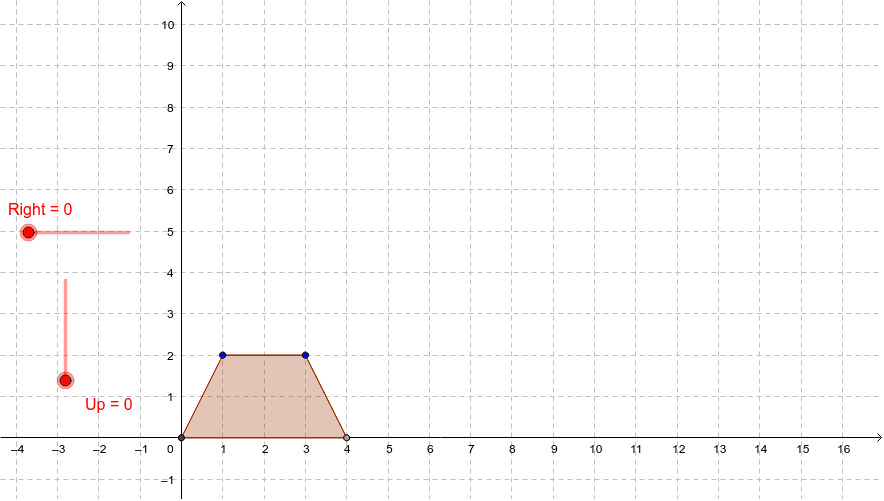
This example demonstrates how to translate a figure right and up using sliders. Key math concepts include translation. Commands used include Vector and Translate. Suitable for middle school and above students learning geometric transformations.
GeoGebra Commands & Parameters
Intersect(xAxis, yAxis) → APoint(xAxis) → BPolygon(A, B, C, D) → poly1, a, b, c, dVector(A, X) → uTranslate(A, u) → ETranslate(B, u) → FTranslate(C, u) → GTranslate(D, u) → HPolygon(E, F, G, H) → poly1', a', b', c', d'
AI Drawing Prompt Reference
Draw a rectangle ABCD, then translate it right and up using a slider. First, create point A at the intersection of the x-axis and y-axis, and point B on the x-axis. Draw rectangle ABCD, then create a vector u from A to X. Translate point A using vector u to get E, translate B to get F, C to get G, and D to get H. Finally, draw the new rectangle EFGH.
The prompt above was compiled from the original drawing commands and is for reference only.